A software factory
in your pocket.
rdn-swarm runs a full 9-role software-development pipeline on your phone — planning, coding, reviewing, testing, and scoring real apps against your own provider keys. No backend. No account. No telemetry.

Available now on Google Play. Coming soon to the App Store. Bring your own key from any of 8 AI providers.
Not a remote control for a server somewhere. The whole orchestrator lives here, running between your thumb and your battery.
Bring your own keys
Mix providers freely — a different model for every role.








Models and prices come from a price feed built from each provider's own pricing pages, refreshed every time the app starts — and every price is editable.
Provider names and logos are trademarks of their respective owners. rdn-swarm is not affiliated with or endorsed by Anthropic, OpenAI, Google, DeepSeek, xAI, Meta, Moonshot AI, or Alibaba Cloud.
The five tabs
Home · Hub · History · Data · Settings
A bottom nav routes between five surfaces. The Hub becomes the live run dashboard mid-pipeline, and the New Run setup when idle.
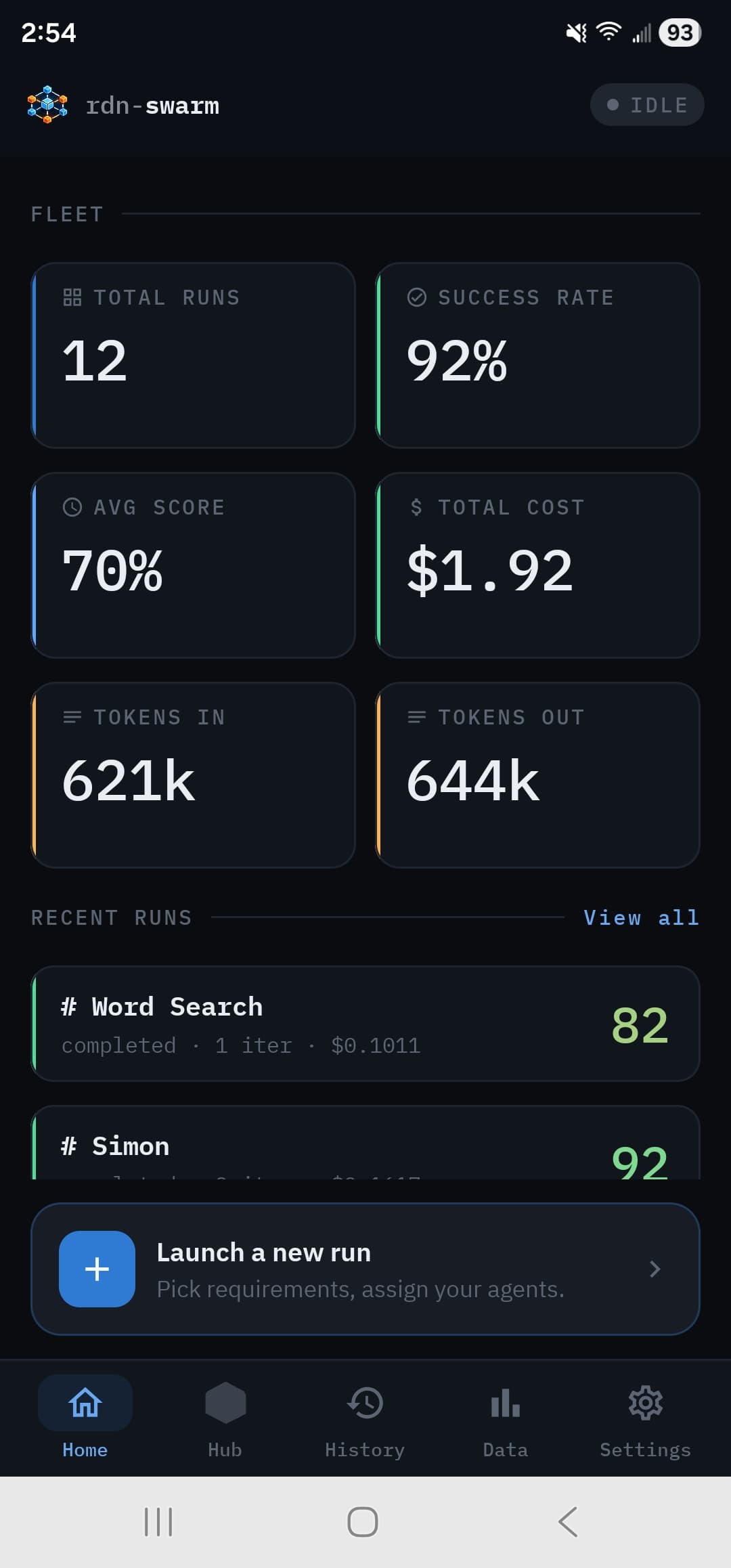
Your fleet at a glance
Aggregate stats across every run on this device — total runs, success rate, average score, total spend, tokens in and out. A persistent Launch a new run button sits above the recent-run list; completed runs get a green rail, errors a red one.
- Fleet-wide metrics
- Recent runs with score chips
- One-tap new run
- Color-coded status rails
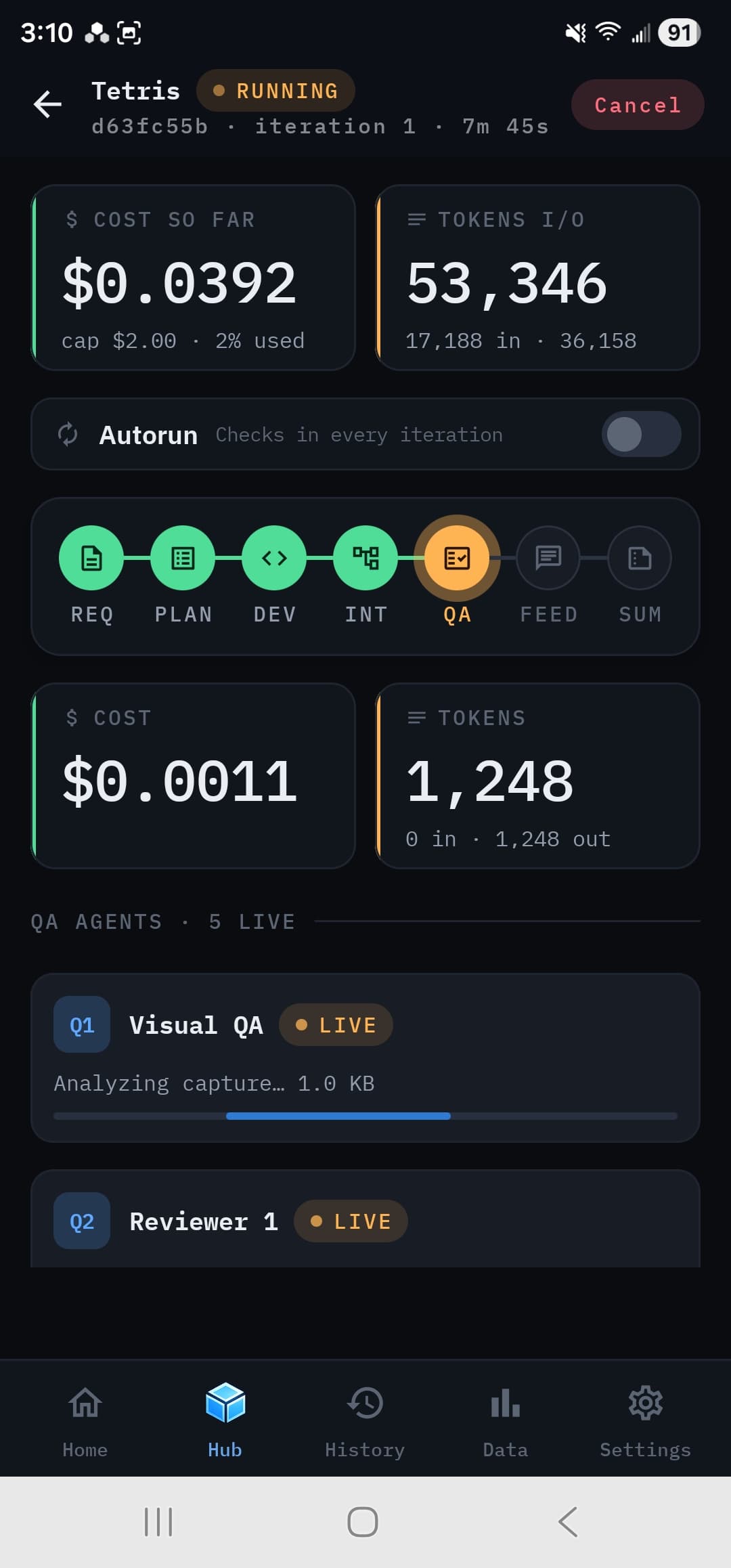
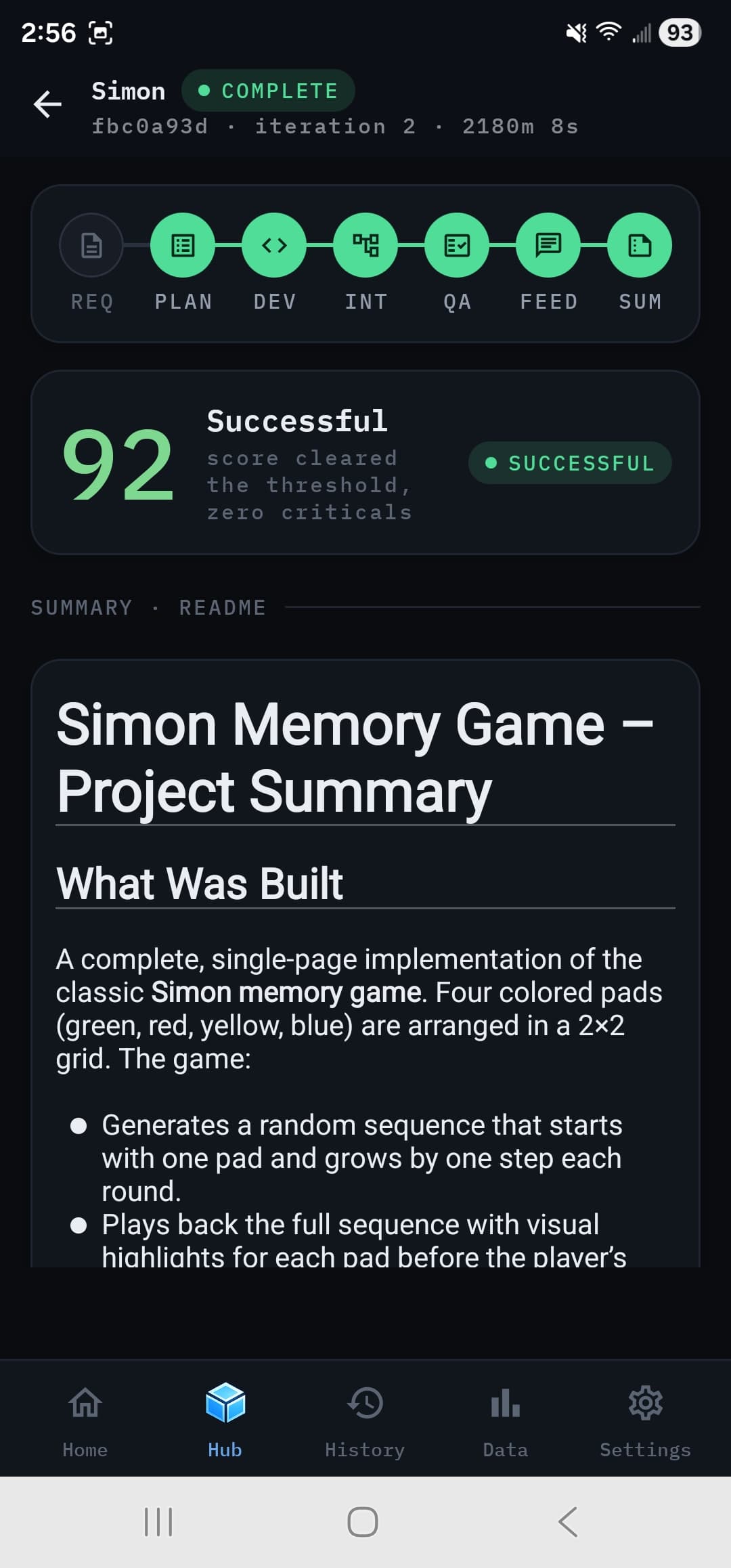
The live SDLC dashboard
Live cost and token tiles with the cache-hit rate, a live Autorun switch, and a seven-node phase track you can tap to drill into any phase's calls. Watch developers and reviewers work in parallel as the pipeline streams, and add a note mid-run for the next iteration.
When it finishes, the verdict, the final scorecard and the generated README render right on the dashboard — then open the output, preview the app, or run the next iteration.
A replayable archive
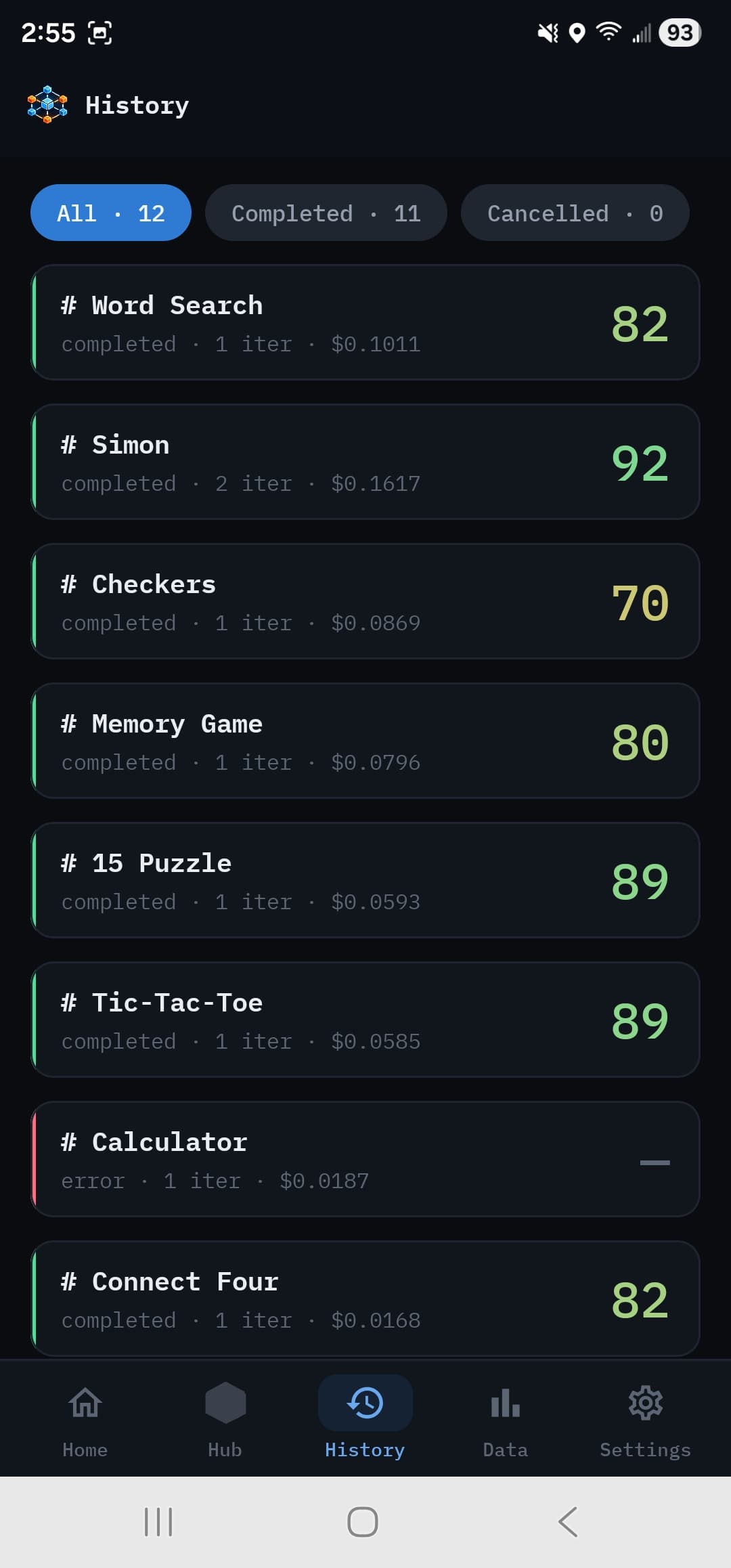
Every run is recorded — events, generated files, screenshots, costs. Filter chips split the list by outcome. Tap a run to reopen its dashboard, rebuilt from the persisted event archive, or browse its output, read its log, or share it as a zip.
A head-to-head benchmark rig
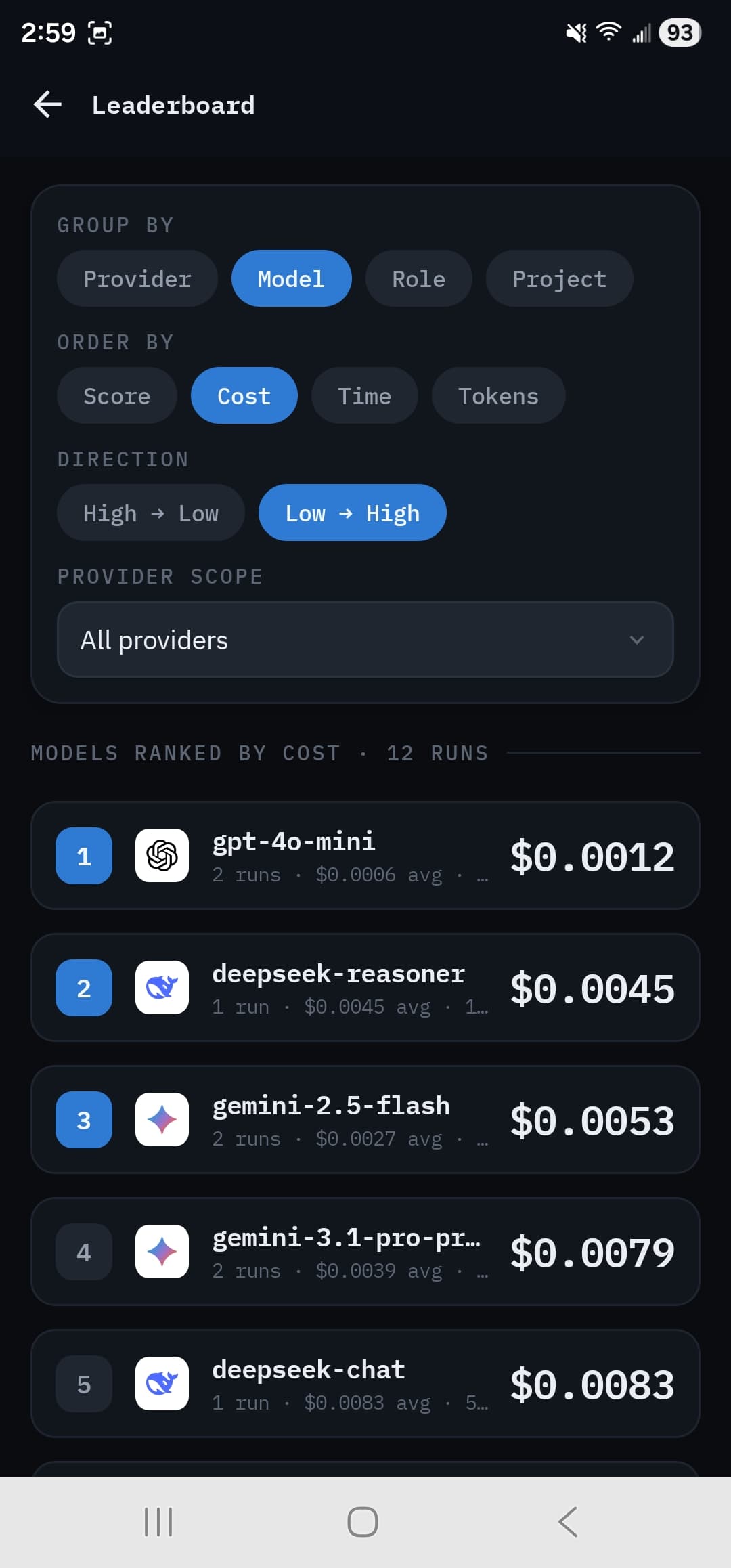
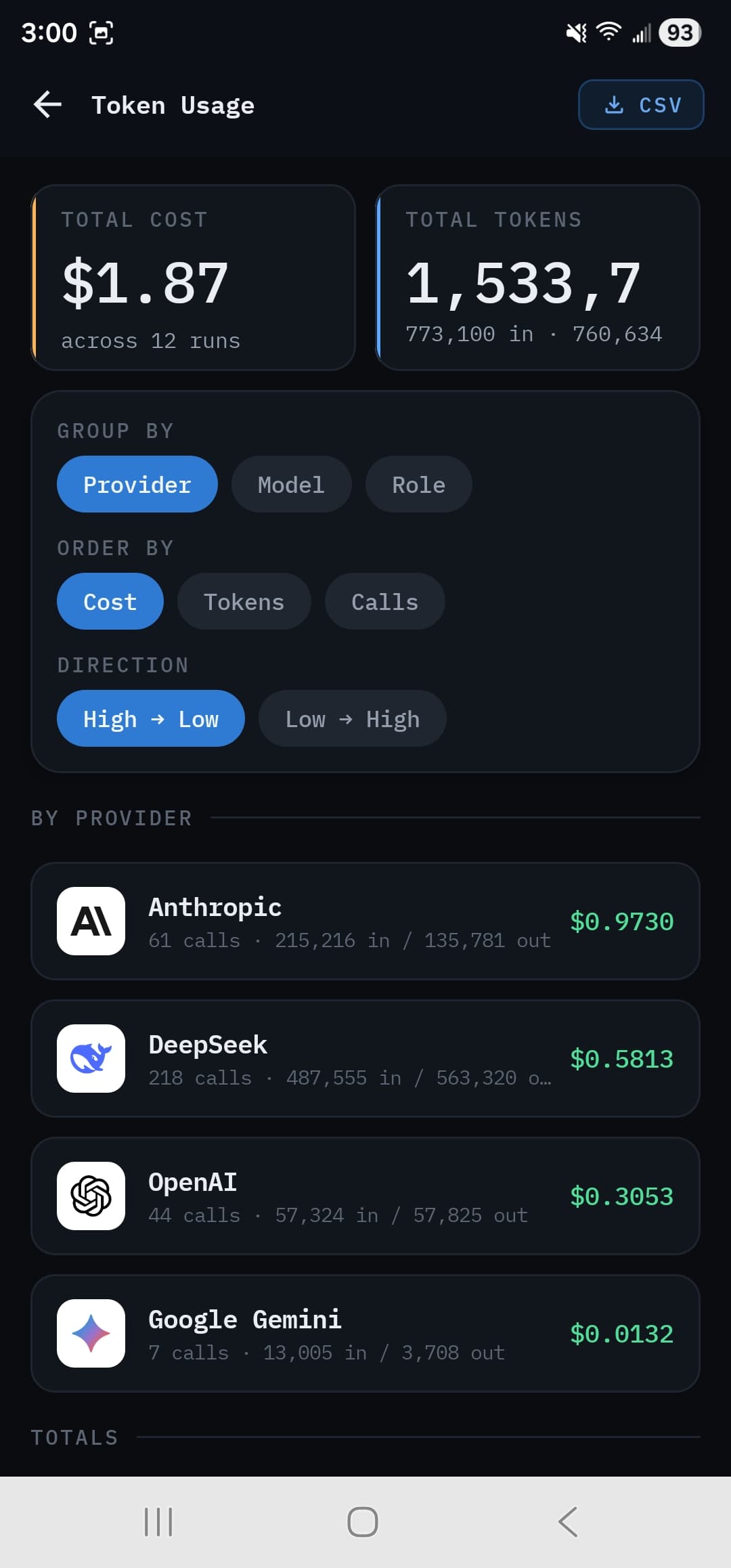
Leaderboard ranks providers, models, roles, or projects by score, cost, time, tokens and cache savings. Token Usage gives the fleet-wide cost and token breakdown — down to single calls — with CSV export.
Same brief, same rubric, across providers — so the comparison is fair, not vibes.
Your keys. Your device.
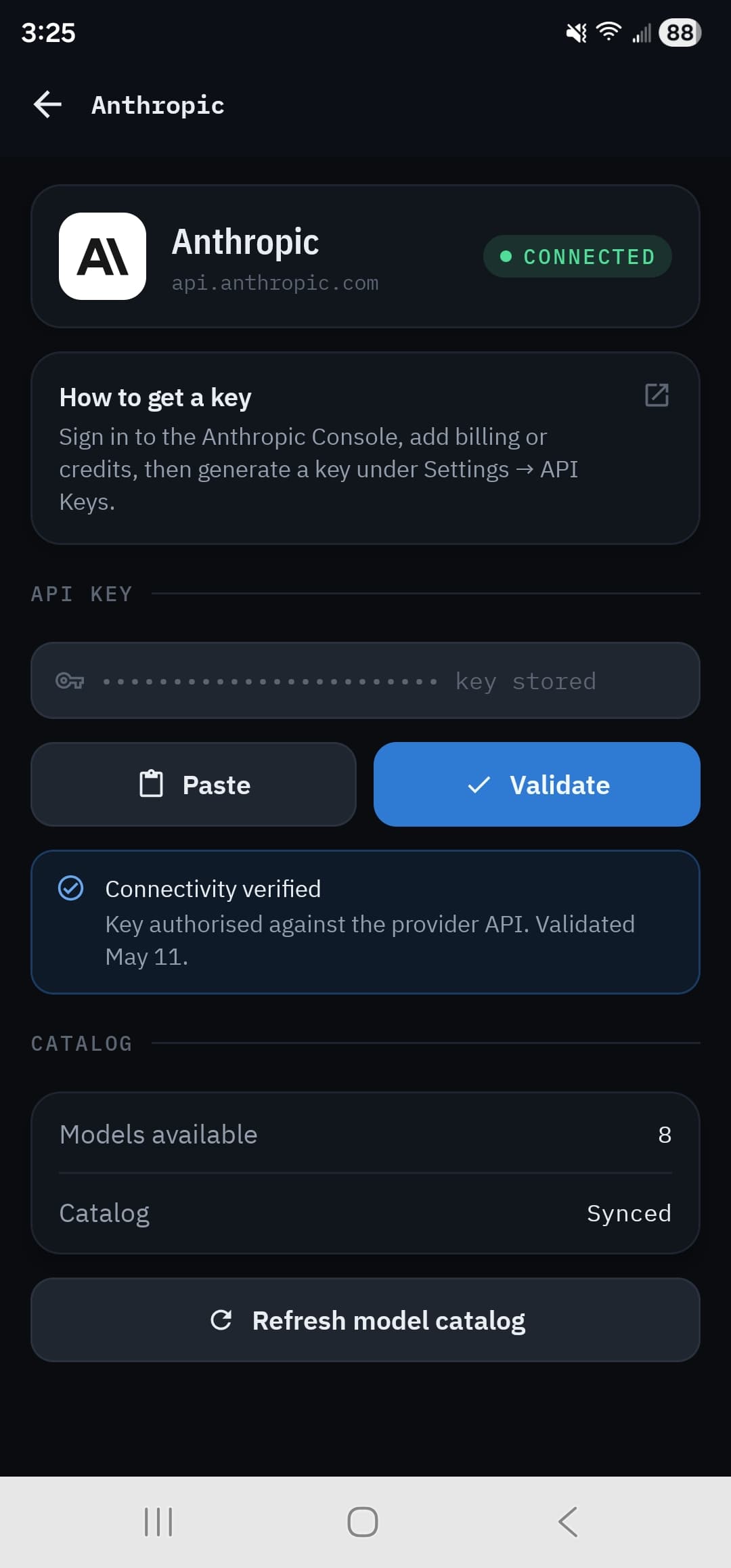
Paste a provider key and validate it against the live API. It is encrypted with AES-256-GCM under a master key in the hardware-backed Keystore, and never appears in logs. Your first key assigns all nine roles to that provider automatically.
78 models across 8 providers, refreshed from the price feed at every launch.
The pipeline
Nine roles. One device.
A real software team, modeled as specialized agents. Each role can run on a different provider and model — and several run at once.
- 1AnalystOpenAI
Reads your brief and decomposes it into components and testable acceptance criteria.
- 2Project ManagerDeepSeek
Splits the work into non-overlapping assignments — one owner per file, no collisions.
- 3Developers ×NAnthropic
Write the code in parallel, each developer owning its own files.
- 4Integration ArchitectDeepSeek
Verifies cross-file consistency — selectors, element IDs, imports, references.
- 5QA Reviewers ×NAnthropic
Review the code in parallel and file issues by severity: critical, major, minor.
- 6Visual QAAnthropicMobile-first
Renders the running app and reads the screenshots and DOM as a vision model.
- 7Test AuthorDeepSeekMobile-first
Writes deterministic acceptance tests the orchestrator runs against the app.
- 8Feedback CoordinatorOpenAI
Consolidates every finding and scores the run across the five dimensions.
- 9Summary GeneratorGoogle
Writes the final README — what was built, how to run it, what is left.
An example mix. Your first key takes all nine roles; from there, every role is reassignable to any provider and model from the run's Configuration tab.
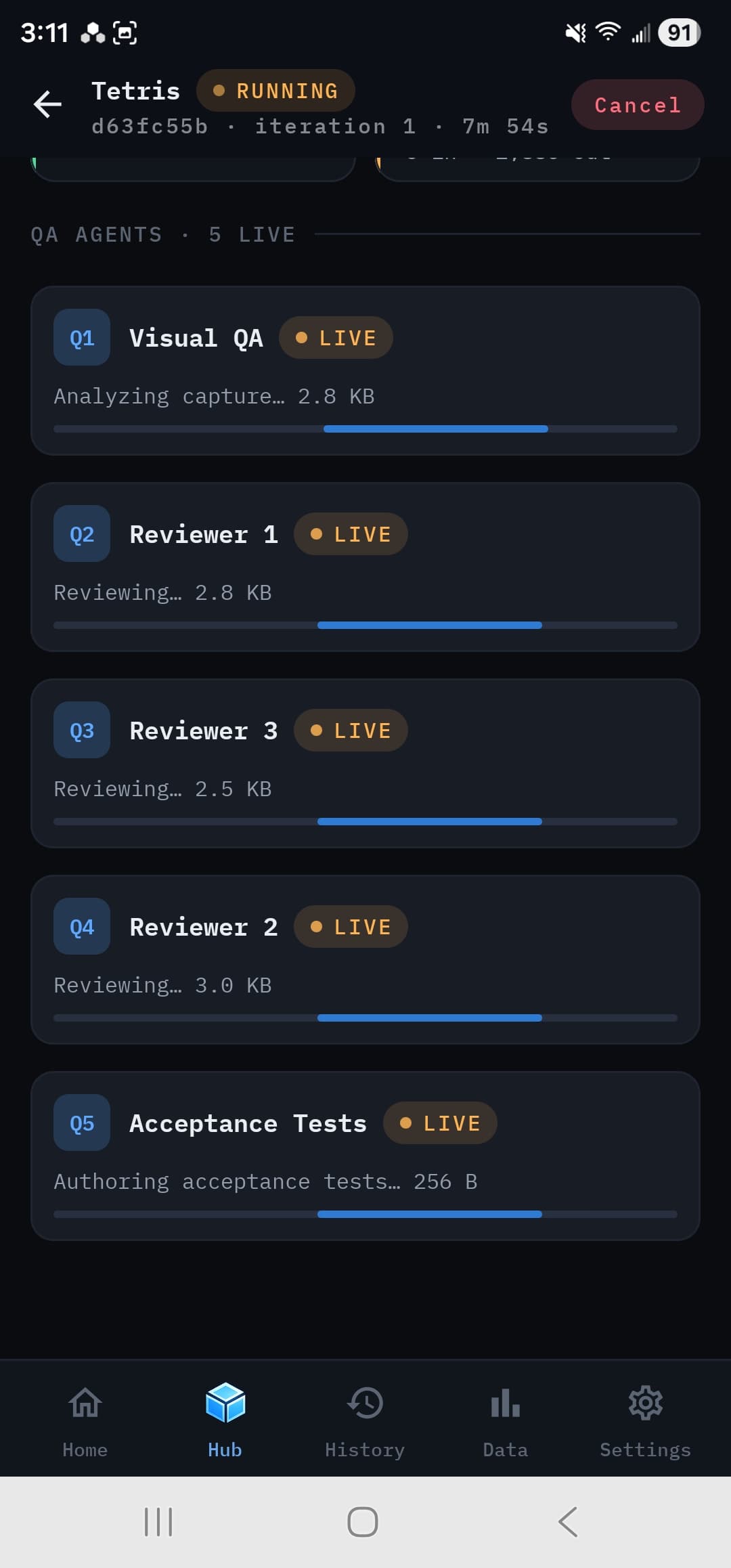
Developers and reviewers run in parallel — this is the swarm, mid-review, on a phone.
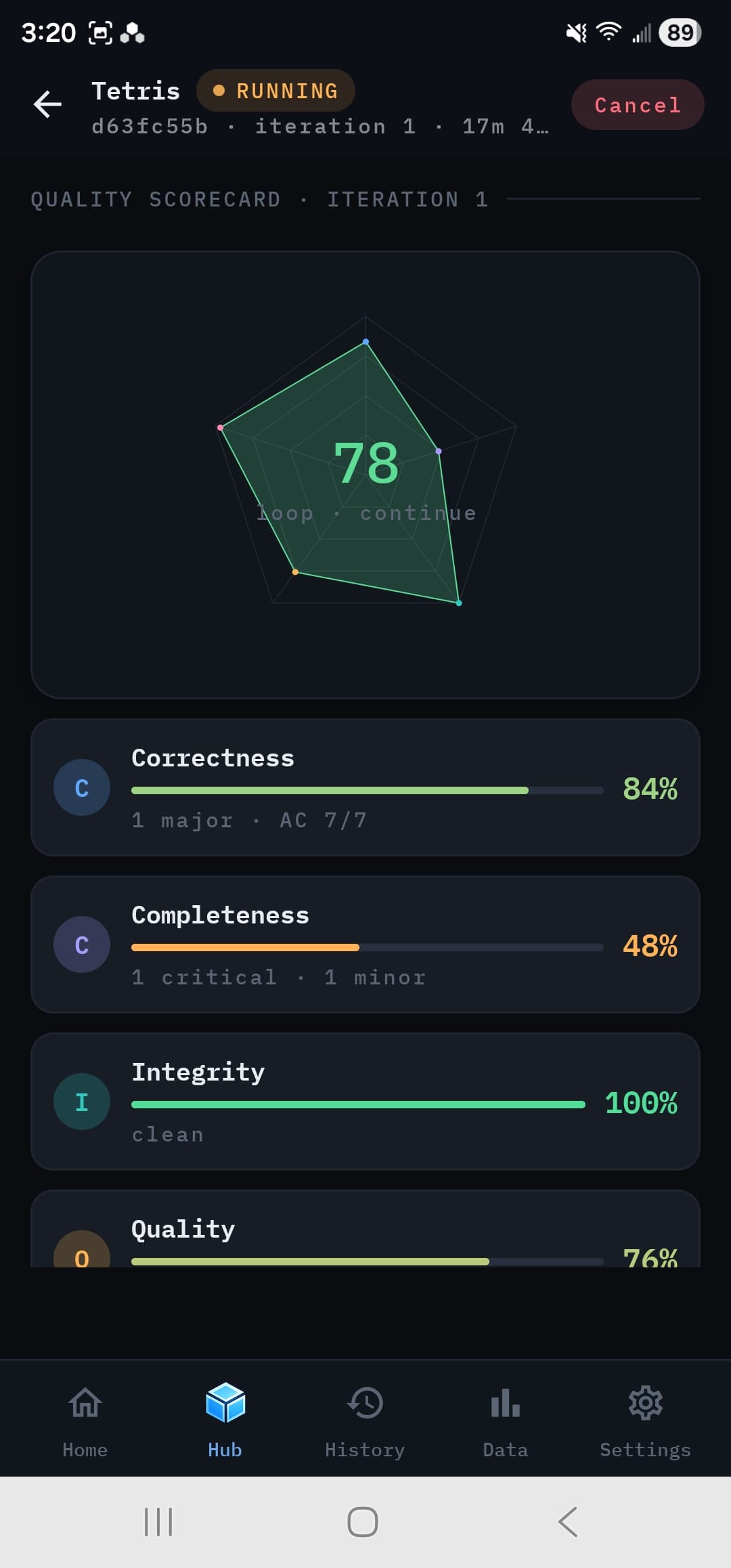
Quality scorecard
Five dimensions. One honest score.
Each dimension decays multiplicatively with open issues using per-severity half-lives. The overall score is a geometric mean — so a single dead dimension fails the whole run, it doesn't just nudge a number.
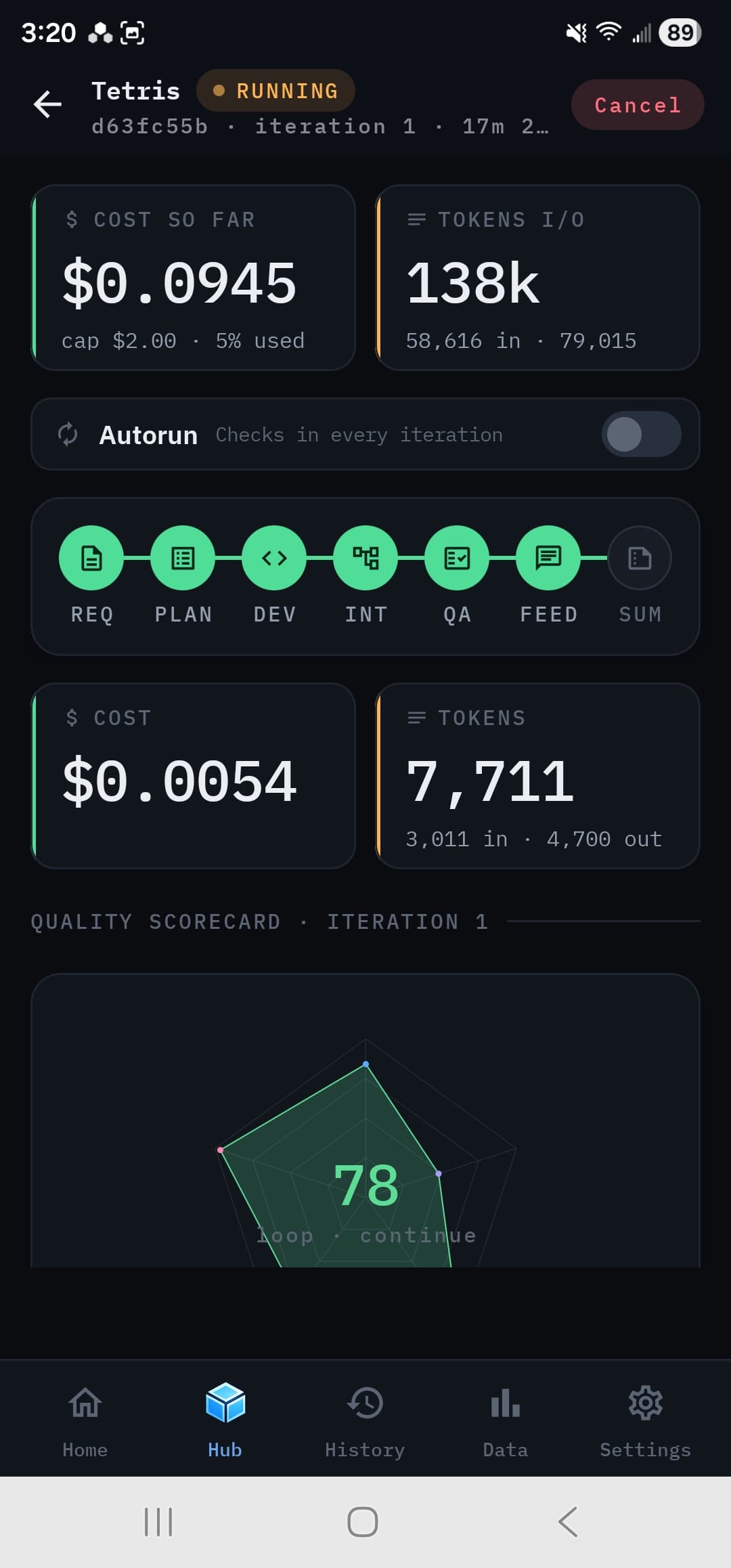
Correctness
Does the code do what the brief describes? Includes the functional acceptance tests the Test Author's runner executes. Drops fast on critical bugs.
Completeness
Is everything the brief asked for there? Coverage criteria passed, and no planned file left undelivered.
Integrity
Cross-file consistency: selectors, element IDs, imports and references all resolve.
Quality
Code style, structure, idiomatic patterns, and the absence of review findings.
Accessibility
Can everyone use it? Labels, semantics, contrast, keyboard access and focus order — from the source, and from the rendered app in Visual QA.
A run is Successful when the score clears your threshold (default 85) with zero open critical issues. Below it, you decide whether to iterate — or let Autorun keep going until it gets there.
You stay in the loop
It iterates until it's good — or until you say stop.
Every iteration after the first is a bug-fix pass: the PM re-assigns only the files with open issues, developers patch in place, and QA re-reviews. Check in at every iteration to accept, reject, or inspect the output yourself — or turn on Autorun and it keeps going until the score reaches your threshold.
Add a note mid-run and the next iteration picks it up. When a run is done, Run next iteration reopens it with a change request and keeps building.
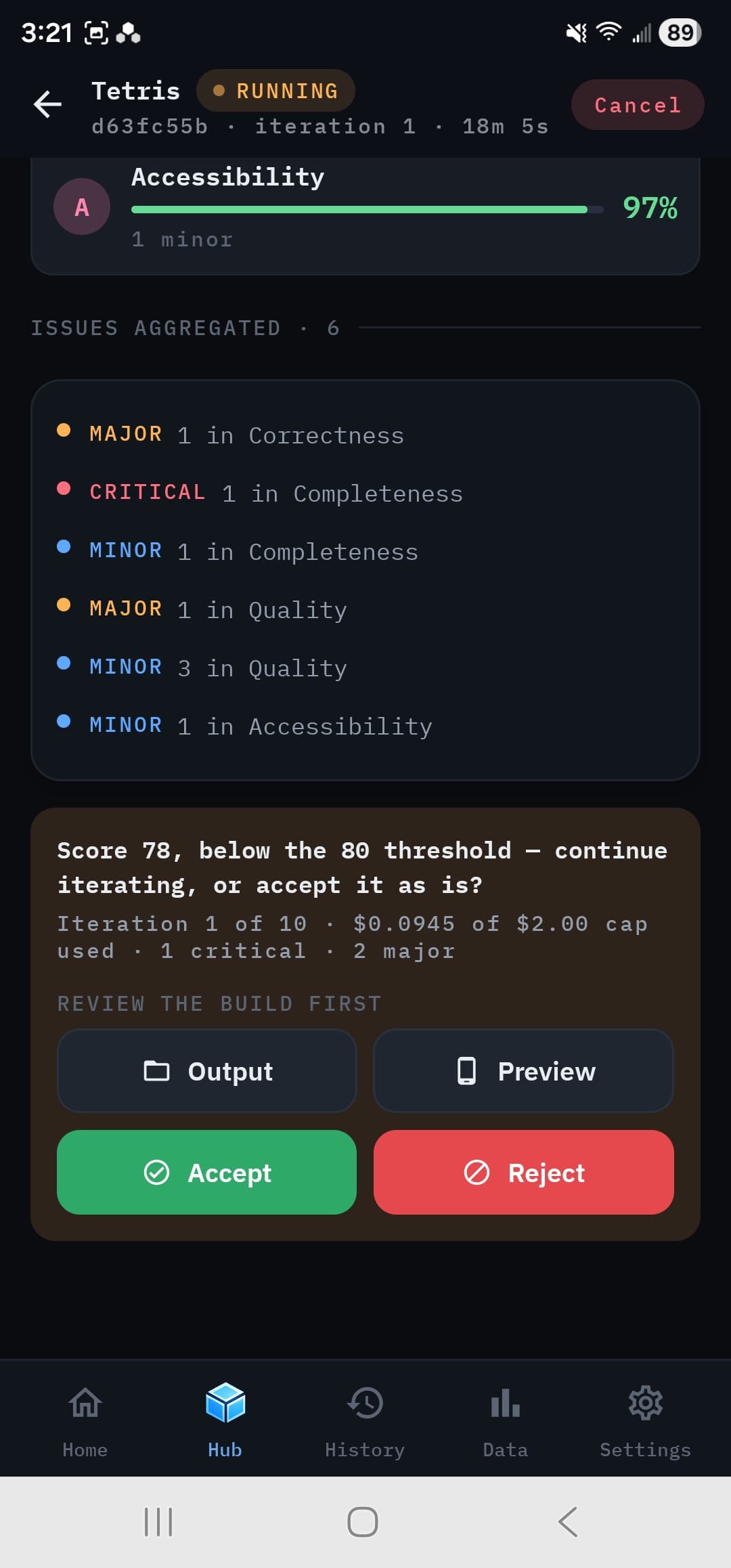
Play the result.
These aren't mockups. Each one was built by the swarm from a one-page spec — planned, coded, reviewed, and scored — with zero human edits. The one on the right is running, right now, in your browser.
Connect Four
A real Connect Four — game logic, win detection, gravity, and the board itself, written end-to-end by the swarm.
↑ Playable · Sandboxed iframe · Tap a column. Red goes first.
Behind the bottom nav
The screens that do the work
The requirements library, configuration, the output browser, the in-app preview, the live log, the model catalog, and more.
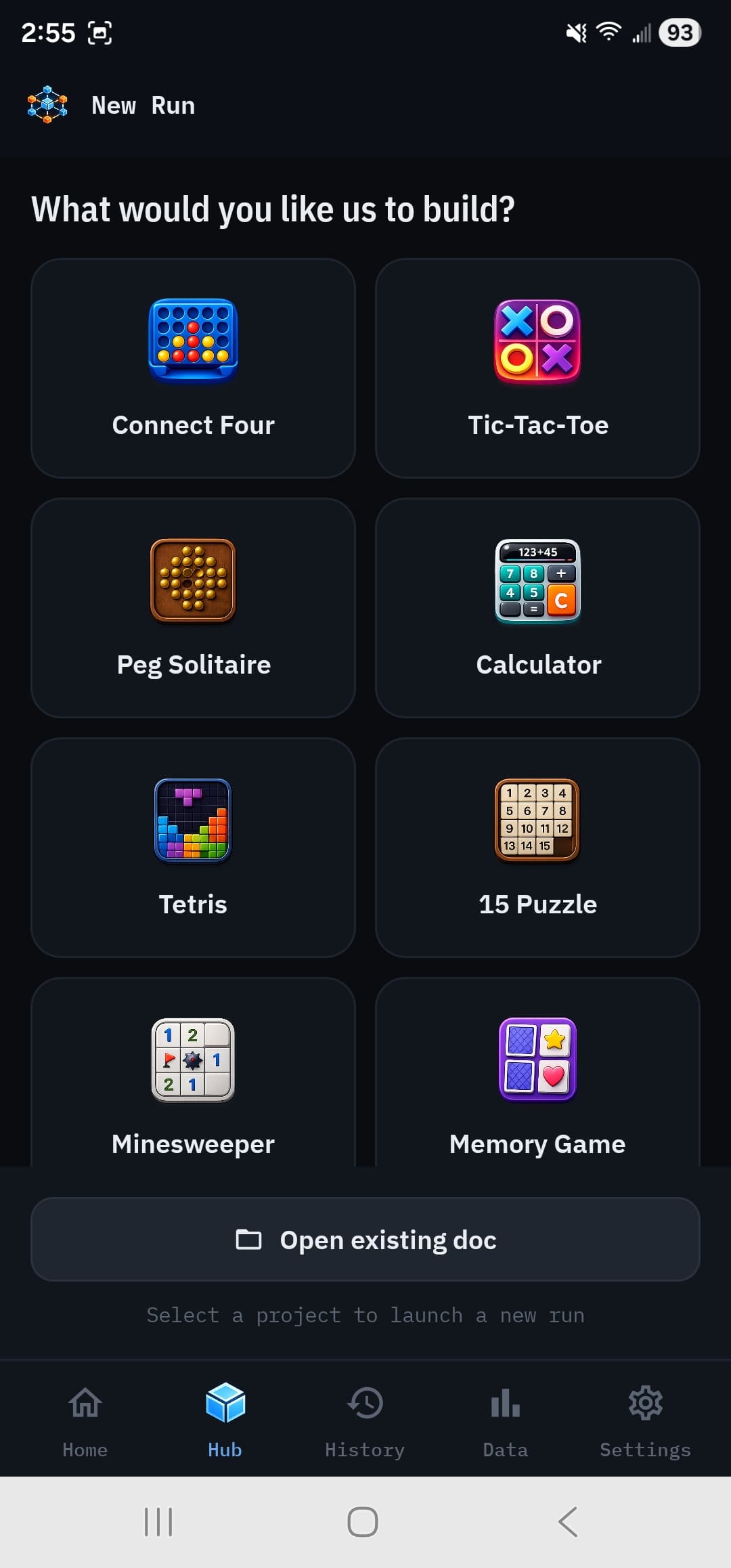
Hub · New Run
A library of starting points
Thirty bundled briefs — games and utilities — plus your own markdown docs, persisted on-device. Edit raw or render the preview, then assign per-role models.
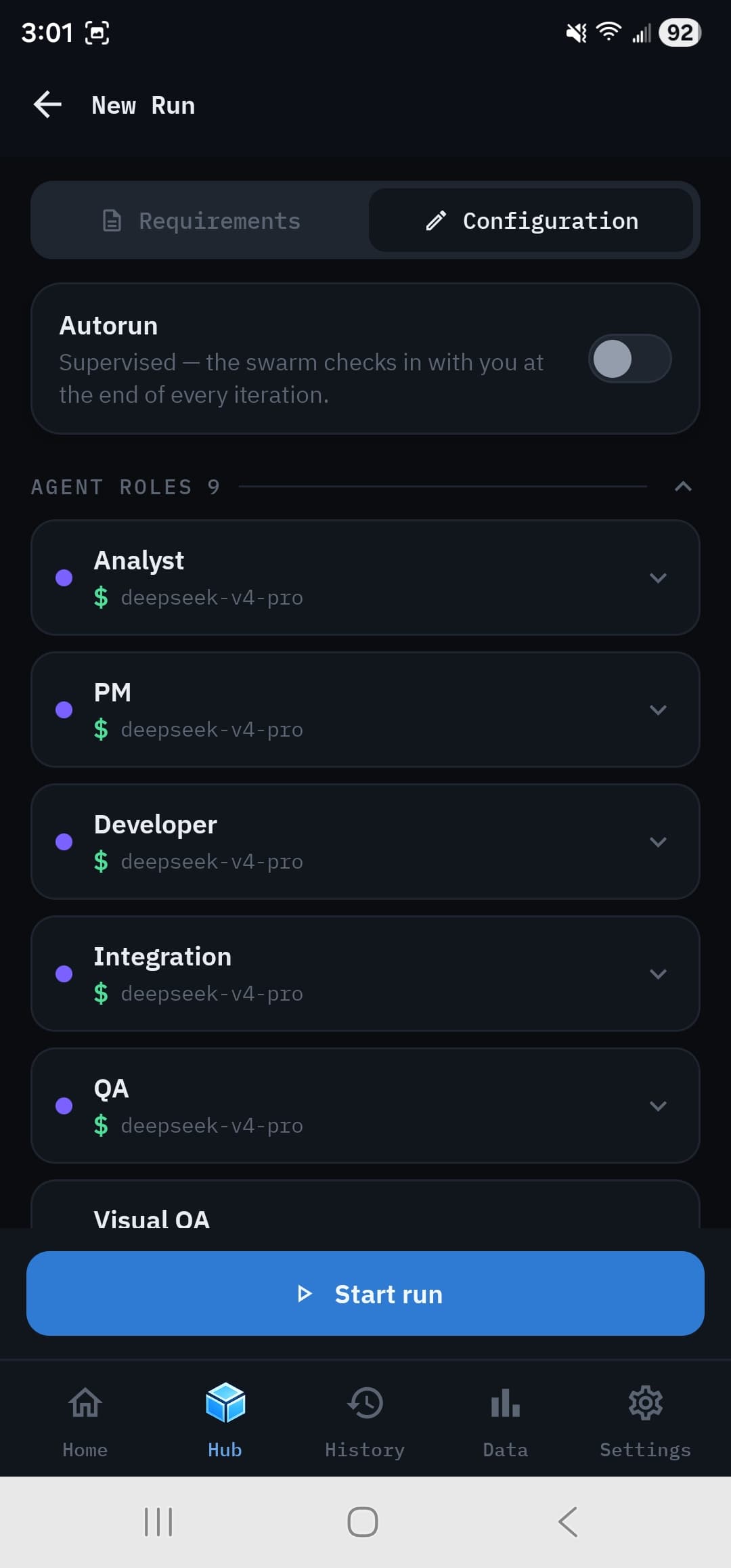
New Run · Configuration
Assign every role
Nine role cards. Pick a provider and model for each, set max output, or apply one choice to all. Orchestration, dev mode, QA mode, and the scorecard live here too.
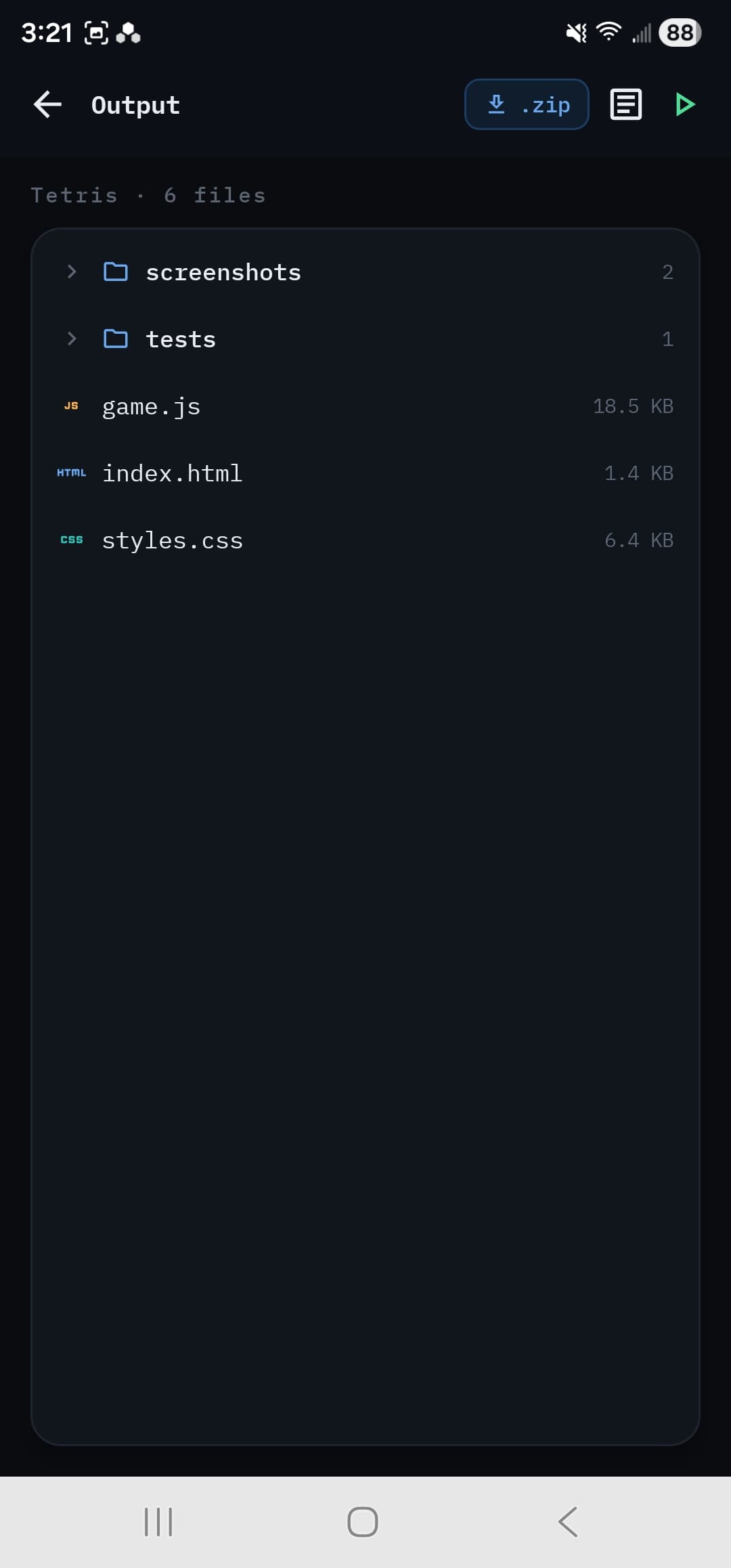
Run · Output
File tree + zip export
Generated files in a tree with QA screenshots and tests alongside the code. Export the whole run — code, screenshots, token-usage and per-call CSVs — as one zip.
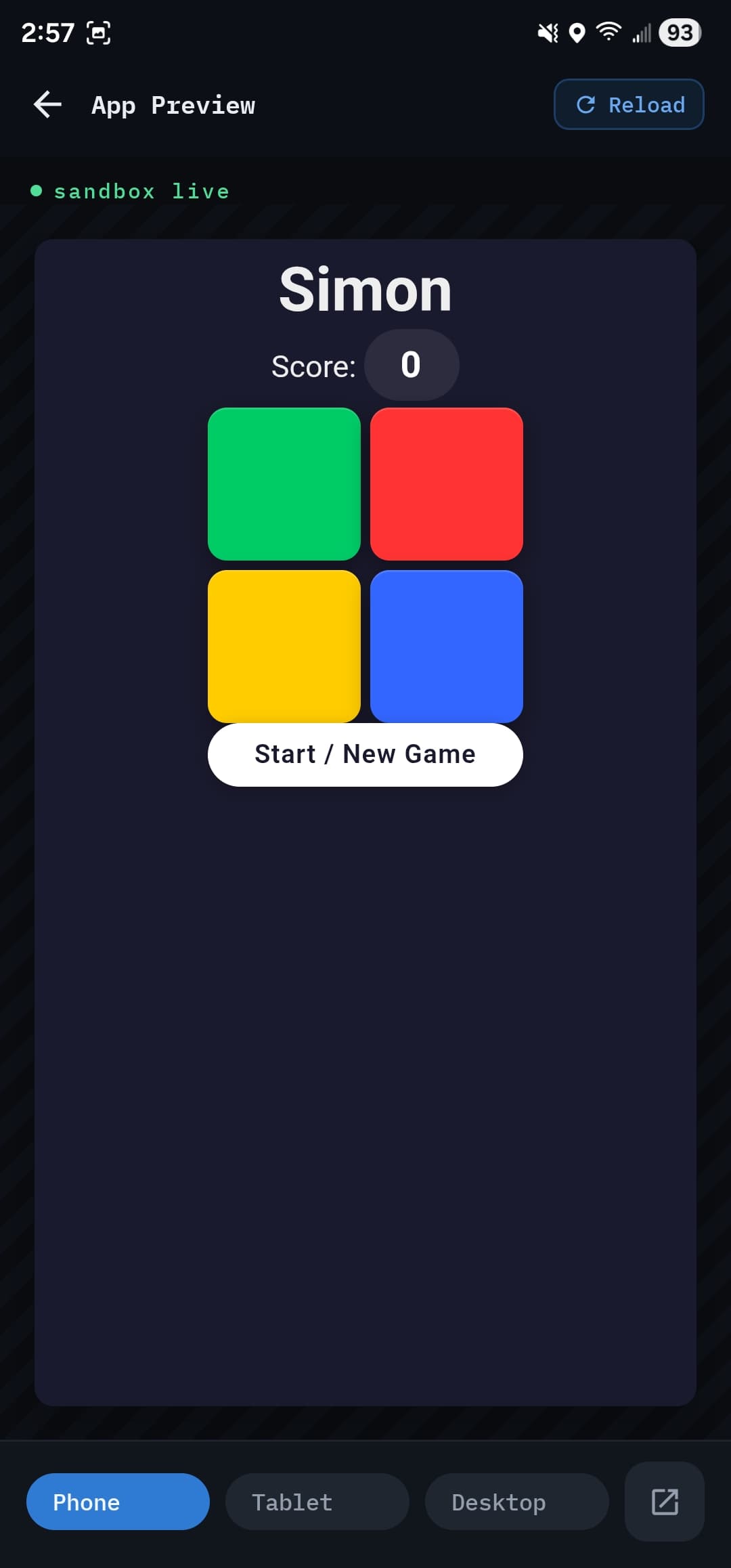
Run · App Preview
Run it before you ship it
The generated app boots in a sandboxed WebView inside Swarm, with phone, tablet, and desktop viewport toggles, so you can sanity-check it before iterating.
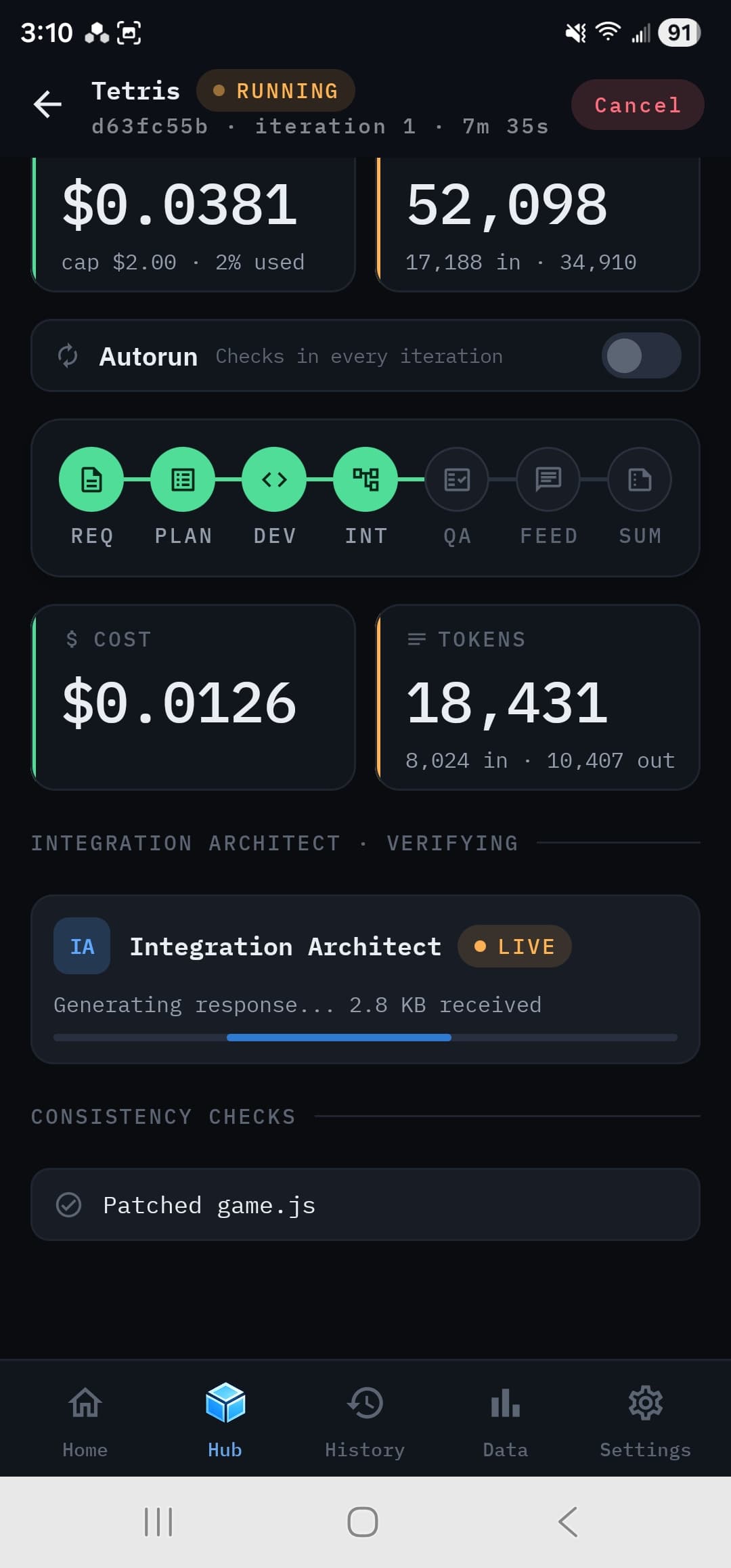
Run · Integration
Cross-file checks, live
The Integration Architect verifies selectors, IDs and imports across files and patches what's broken, while cost and tokens tick up in real time. Tap any phase to drill into its calls.
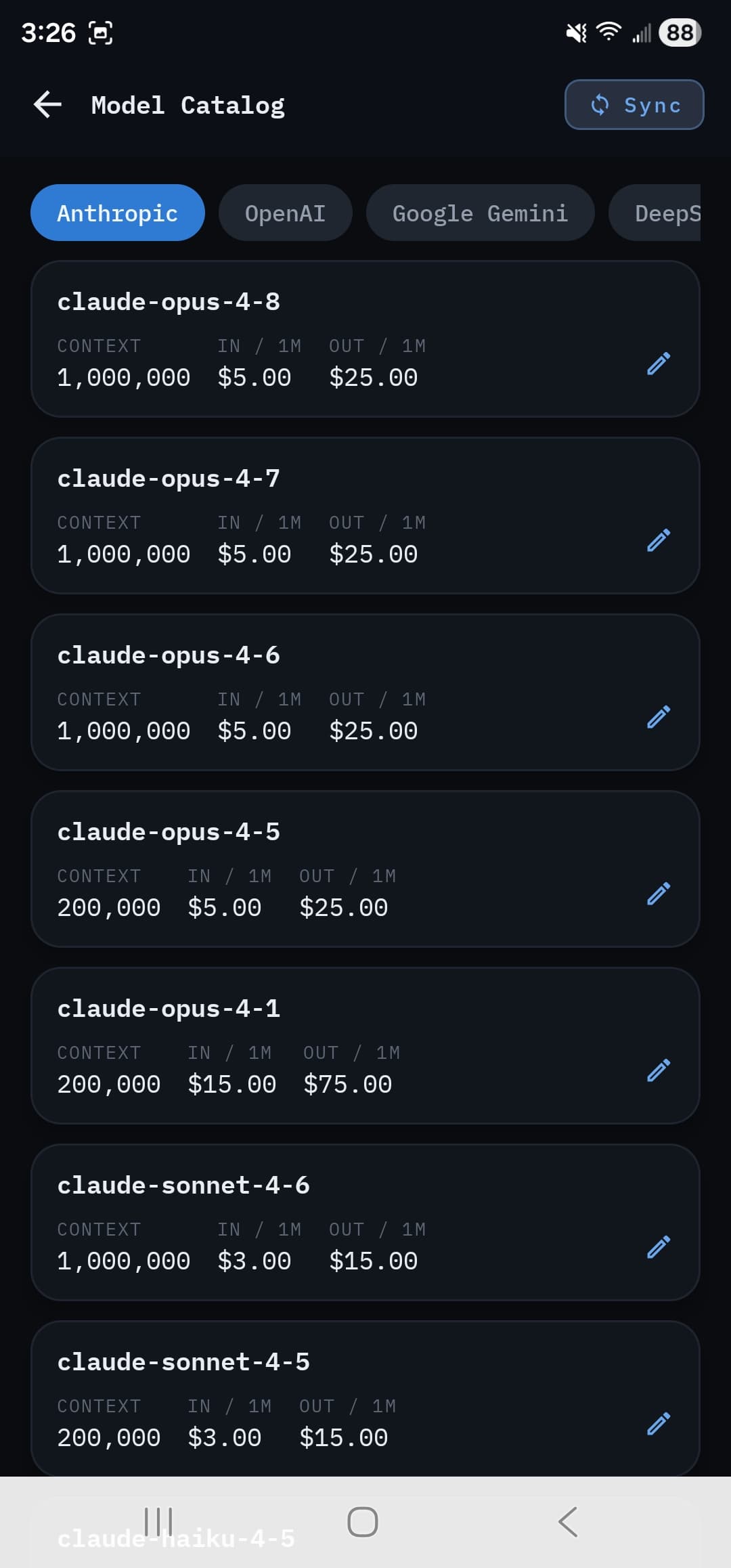
Settings · Model catalog
Per-row editable pricing
Models and prices come from a price feed built from each provider's own pricing pages, refreshed every time the app starts. Every row is yours to override.
Data · Leaderboard
Rank the field
Group by model, provider, role, or project and order by score, cost, time, tokens, or cache savings. The same brief and rubric across providers means the comparison is fair.
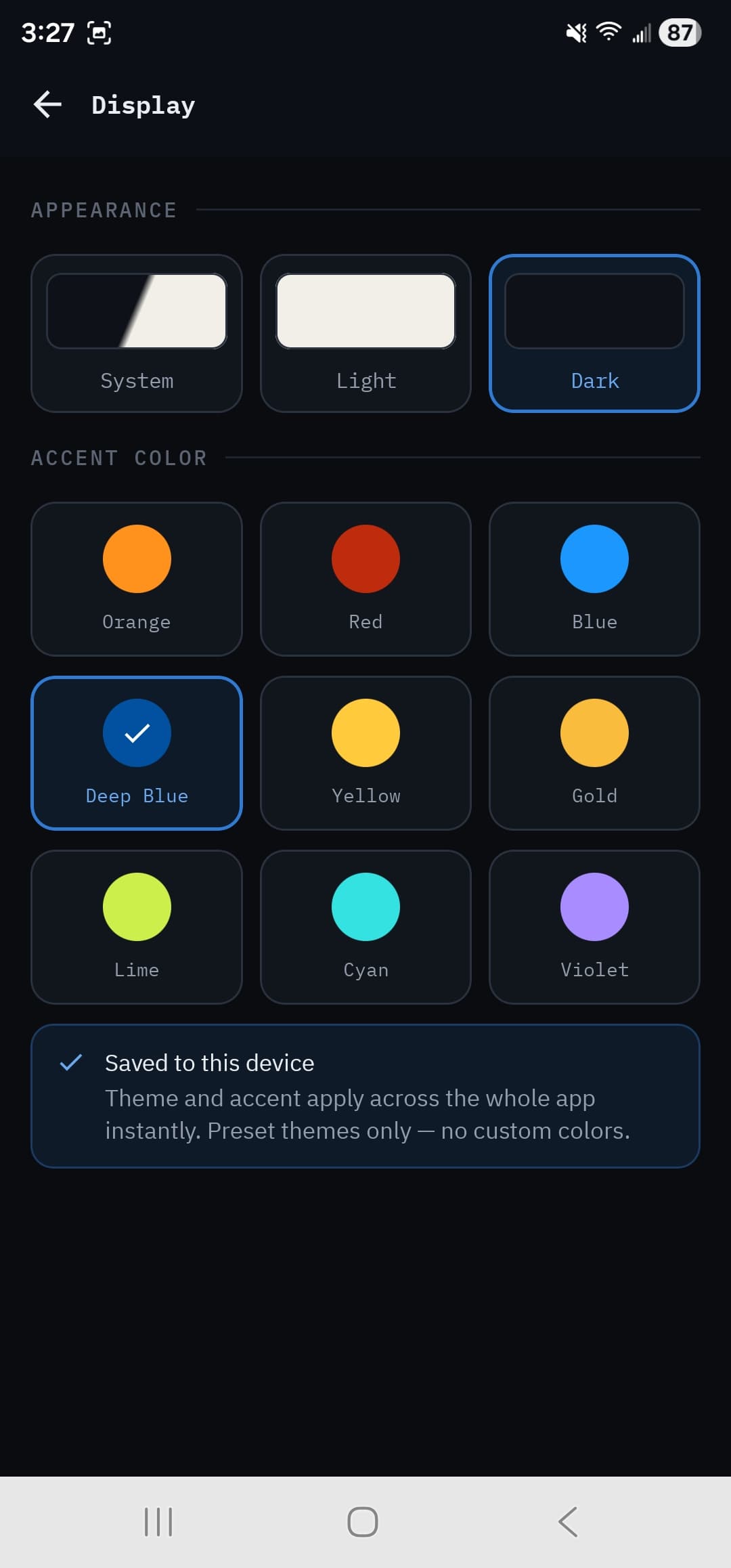
Settings · Display
Dual theme · 9 accents
Light, Dark, or follow System, with nine preset accents from Deep Blue to Lime. Theme and accent apply across the whole app instantly.
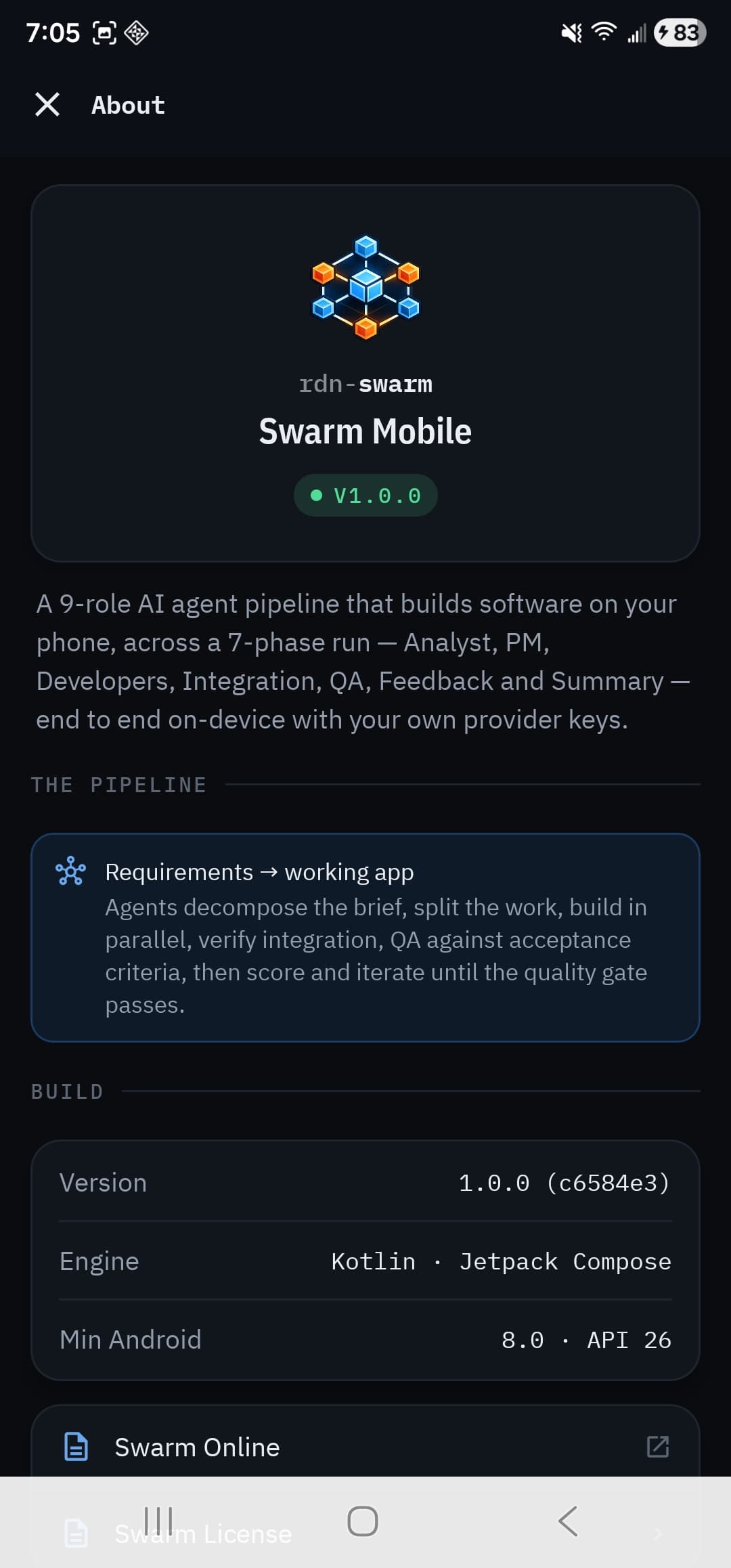
Settings · About
Build · pipeline · license
Version and git SHA, the engine and minimum OS version, the pipeline summary, and deep links to Swarm Online and the bundled license.
Security posture
The keys never leave this device.
Most "AI app" clients hand your keys to a server. Swarm doesn't have a server. Provider keys live in the hardware Keystore, and nothing about your runs is uploaded anywhere. Anonymous benchmark stats sharing is on the way, and it will always be opt-in.
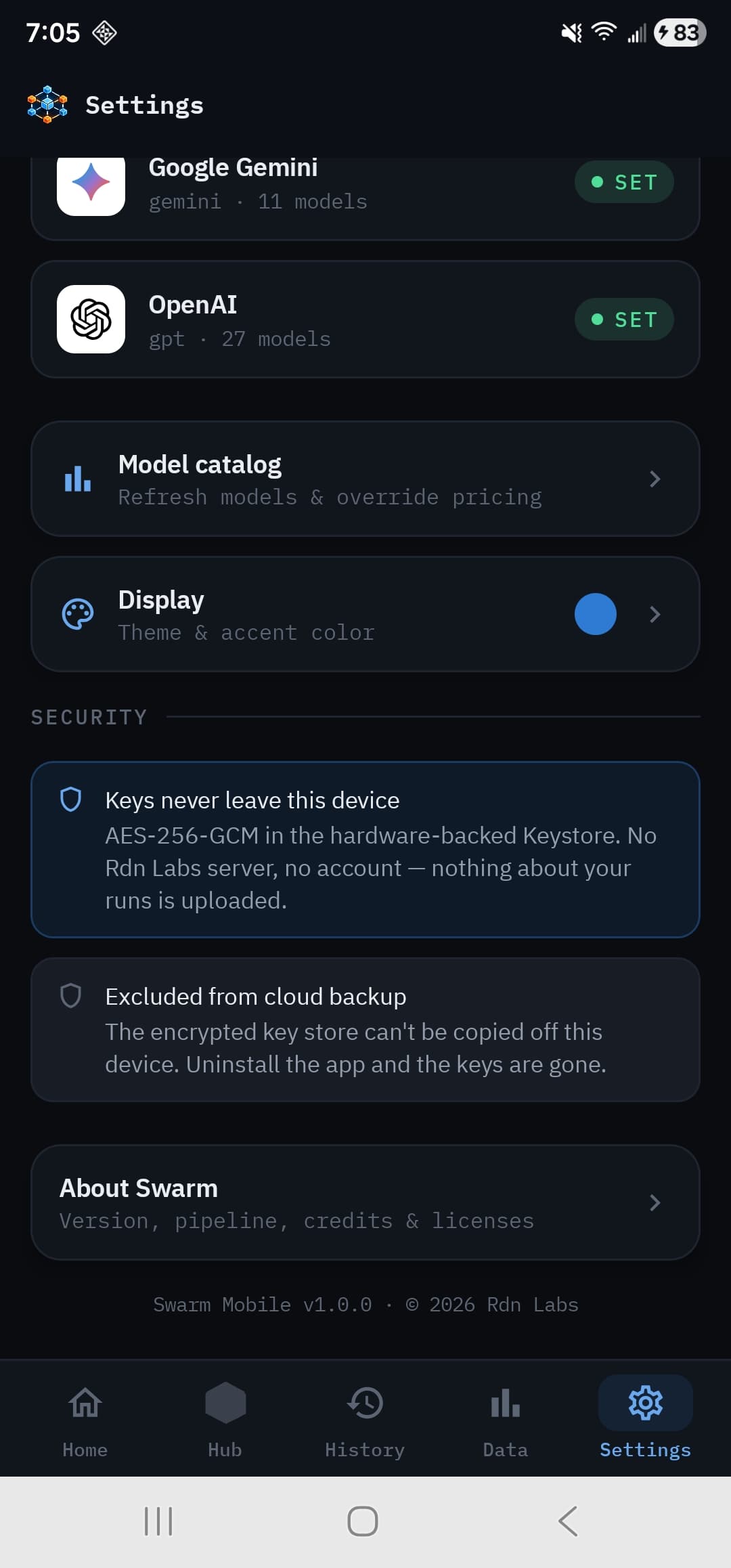
Hardware-backed key vault
On Android, each key is encrypted with AES-256-GCM under a master key held in the hardware-backed Android Keystore, which can't be extracted. On iOS, each key is its own device-only item in the system Keychain. They are redacted from every log.
Excluded from cloud backup
Auto Backup is disabled on Android; on iOS, keys are device-only Keychain items and the run database is excluded from iCloud backup. Nothing is ever copied off-device by the OS.
Direct-to-provider calls
Requests go straight from your phone to the providers you choose — Anthropic, OpenAI, Google, DeepSeek, xAI, Meta, Kimi or Qwen. Rdn Labs is never an intermediary and never sees them.
Sandboxed app preview
The WebView that runs generated apps and powers Visual QA boots with file and content access off, scoped to an isolated per-run origin.
Read the full privacy policy — the short version is that everything stays on your device. The app talks to the AI providers you choose, and downloads a public model and price list that carries nothing about you.
Bundled benchmark suite
Same input. Same rubric. Real numbers.
Thirty starter briefs ship with the app and double as a benchmark suite — each with deterministic acceptance criteria, so head-to-head provider comparisons are fair.
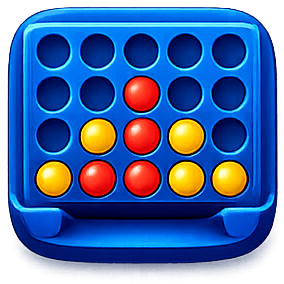 Connect Four
 Tetris
 2048
2048 Minesweeper
 Wordle
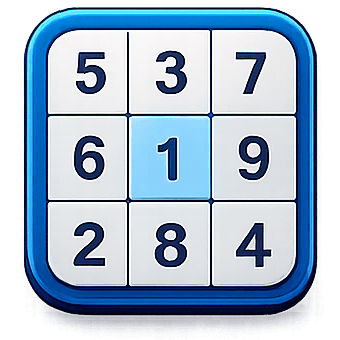 Sudoku
 Snake
Snake Chess
Chess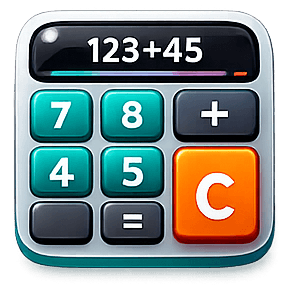 Calculator
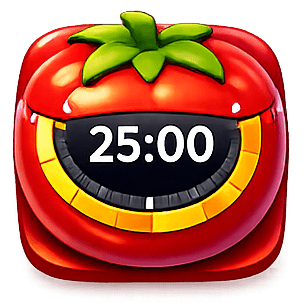 Pomodoro
…and twenty more — Lights Out, Battleship, Reversi, Solitaire, Mastermind, Tower of Hanoi, Calendar, To-Do, and beyond.
Build your first app
on the train home.
Bring your own provider keys and let nine agents plan, build, test, and score a working app — entirely on your phone.
Questions? Read the docs or email lab@reidell.net.