Configure a run
Assign models to roles, set the score bar, and size the team.
The Configuration tab on New Run controls who does the work, how good the build must be, and how far the swarm may go. Your configuration is saved, and each new run starts from the settings you left. Every run also keeps a copy of the settings it started with.
Every section can be collapsed. Scorecard and Orchestration have a ↺ Reset link that restores their defaults. For every option with its default and limits, see Run configuration.
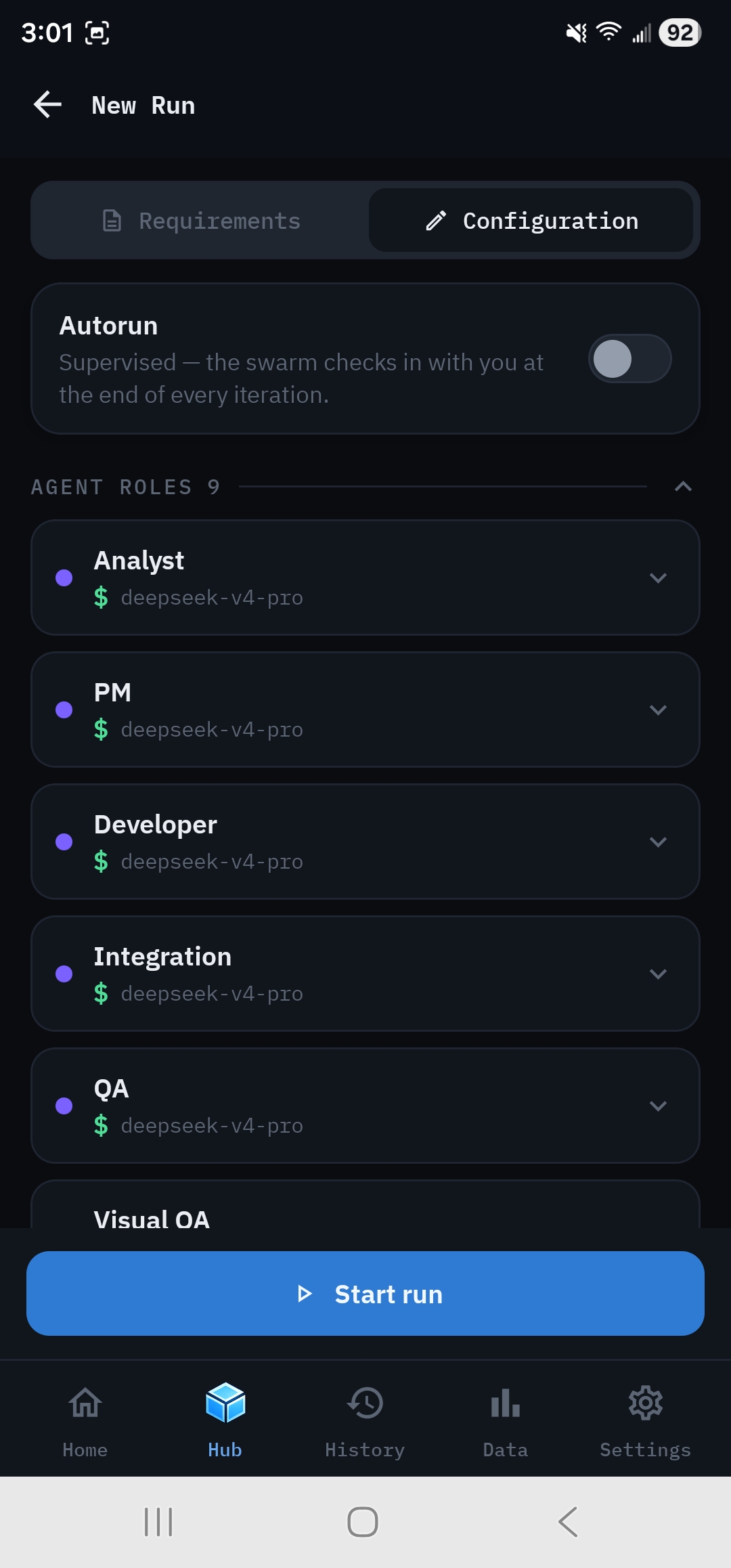
Autorun#
The switch at the top decides whether the swarm checks in with you after every iteration (off, the default) or keeps going until the Score reaches your threshold (on). See Iterations and check-ins.
Assign models to roles#
Under Agent Roles, each of the nine roles is a card. The collapsed card shows a colored provider dot, the role, a $ cost-tier glyph and the model id. Tap a card to expand it:
- Provider: choose from the eight providers.
- Model: choose from that provider's catalog. Each model shows its cost tier. When you pick a model, the role's max output tokens is set to that model's maximum.
- Max output tokens: adjust in steps of 1,000 if you need to.
- Apply provider + model to all roles copies this card's provider and model to all nine roles.
A small orange dot on a collapsed card means it has a problem. Expand the card to read it:
- Meaning
- The model is no longer in the catalog, for example because it was renamed or retired.
- Fix
- Pick another model, or sync the catalog in Settings → Model catalog.
- Meaning
- The budget is higher than the model allows.
- Fix
- Lower it to the cap or below.
- Meaning
- Advisory only. The budget is too small for a reasoning model to think and answer.
- Fix
- Nothing. The app raises it for you, and Start still works.
The first two block Start run until you fix them.
Set the quality bar#
Under Scorecard:
- Score threshold (default 85, adjusted in steps of 5) is the Score a run must reach to count as Successful, and the target Autorun iterates toward.
- Dimension weights: expand Correctness, Completeness, Integrity, Quality or Accessibility to change its weight (0 to 5, in steps of 0.25; 1.0 means equal). For example, raise Accessibility if it matters for your project, or set it to 0 to ignore it.
See The Quality Scorecard for how weights affect the Score.
Set limits#
Under Orchestration:
- Max iterations: the hard stop. Default 10, range 1 to 50.
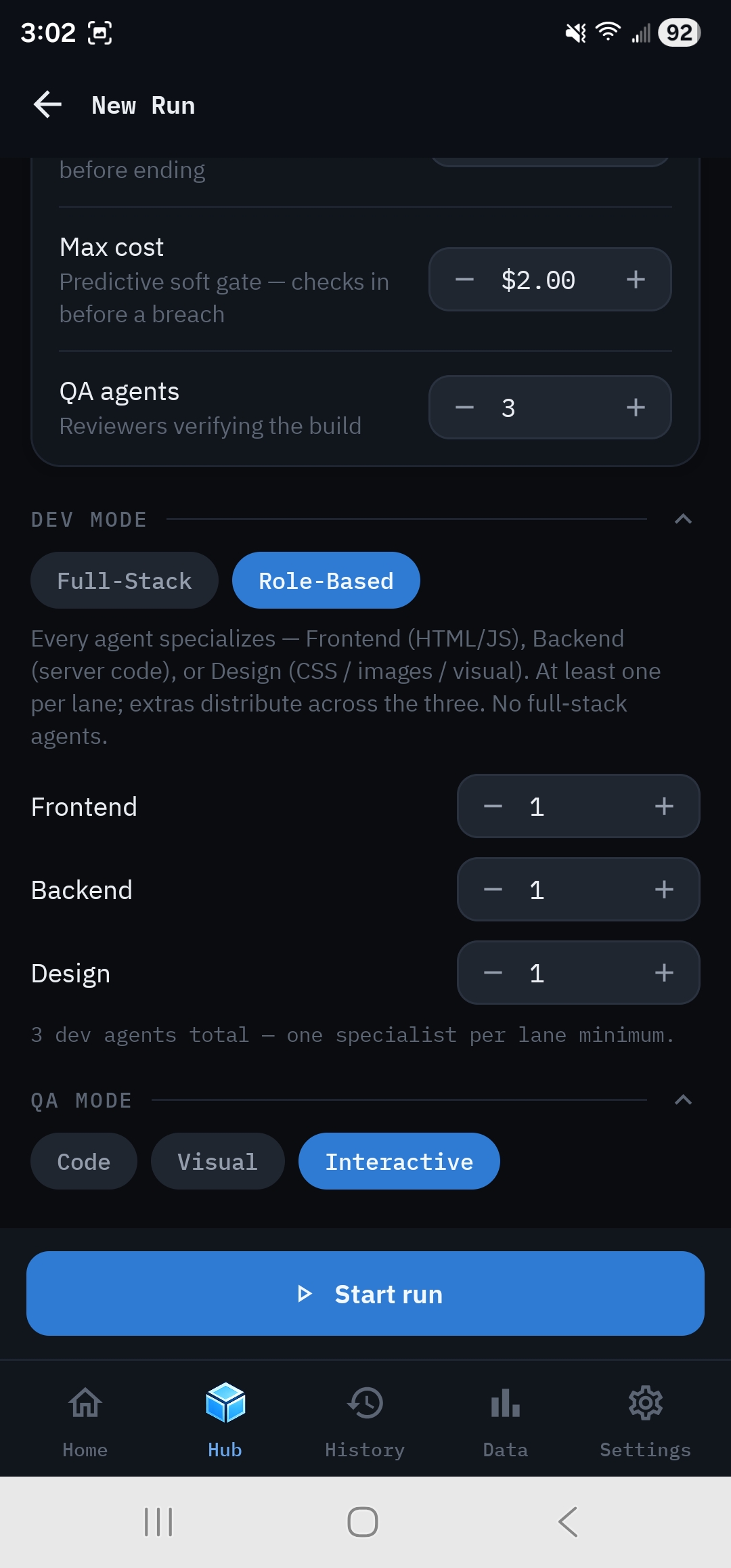
- Max cost: a predictive spending check, in $0.25 steps. Off by default. The swarm checks in before an iteration that could go over it.
- QA agents: how many reviewers check each build. Default 3.
Size the development team#
Under Dev Mode:
- Full-Stack (default): every developer can work on any file. Set Developer agents (default 5, 1 to 20) for how many write code in parallel.
- Role-Based: developers specialize. Frontend takes HTML and JavaScript, Backend takes server code, and Design takes CSS, images and visuals. Each lane needs at least one agent. The total is the sum of the three.
More developers finish a large project faster, but the Project Manager only creates as many assignments as there are files. For a three-file app, extra developers mostly sit idle, and when they do work, they add cost. Small single-page apps rarely benefit from more than 3.
Choose how QA looks at the app#
Under QA Mode, pick Code (source review only, the cheapest), Visual (screenshots reviewed by Visual QA) or Interactive (screenshots plus automated clicks). See QA, Visual QA and acceptance tests.
Start#
Start run is at the bottom of both tabs. If it's disabled or reads Open Settings, the note above it says why; see Starting a run.
Recipes#
Cheapest reasonable run. Budget-tier ($) models on every role, Code QA mode, Full-Stack with 2 or 3 developers, 2 QA agents, Max cost set.
Best quality. A strong reasoning model on the Project Manager, a strong coding model on the Developers, a different model family on QA, Visual QA mode with a vision model, and a threshold of 90.
Fair model comparison. Pick one bundled project, tap Apply provider + model to all roles for model A, and run it. Repeat for model B with the same settings. Compare the results in Data → Leaderboard.