Follow a live run
Read the dashboard, drill into a phase, and steer the swarm with notes.
Once you tap Start run, the live dashboard shows what every agent is doing, what it's costing, and where the build stands. You can reach it at any time from the Hub tab, or with Resume the live run on Home.
Reading the dashboard#
From the top down:
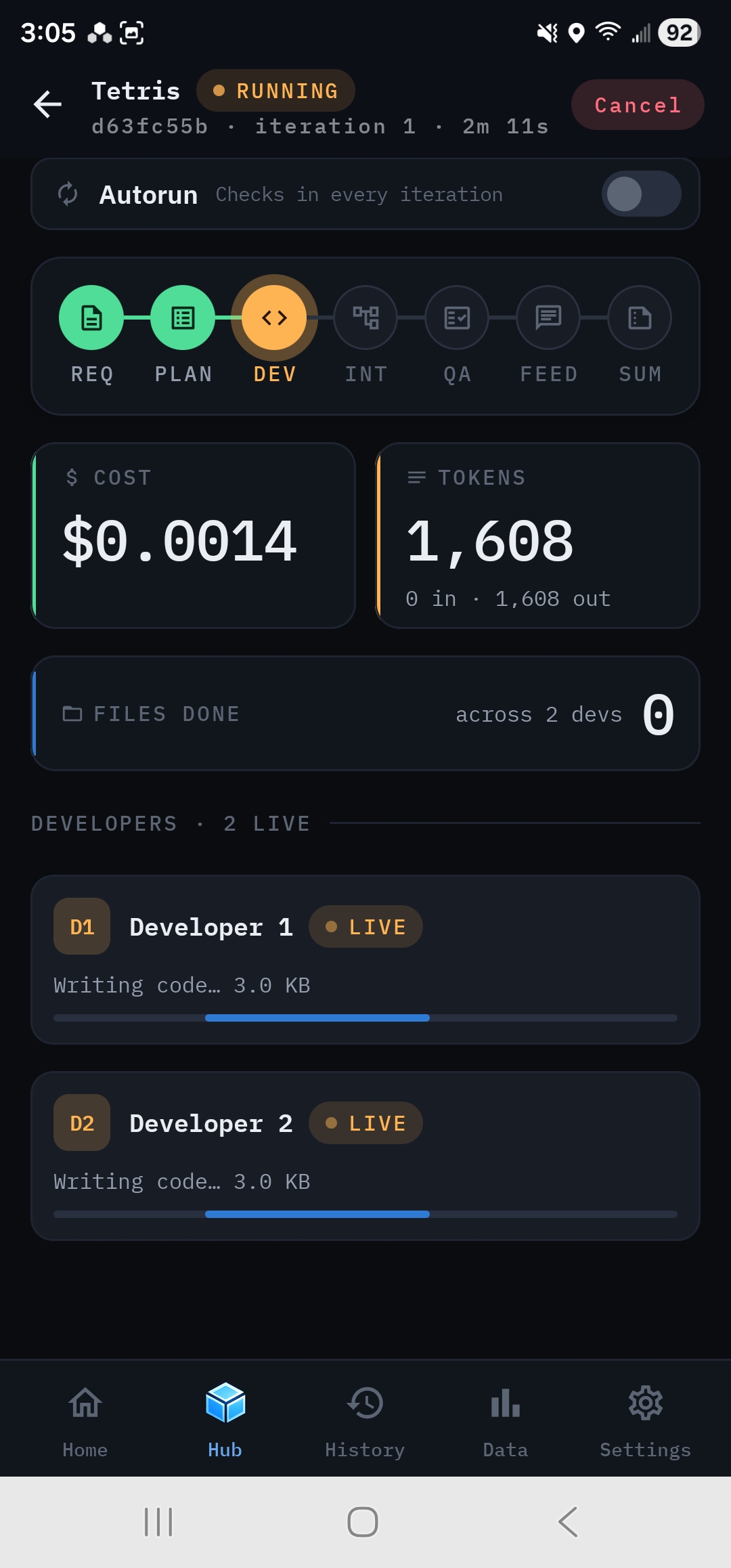
- Header: the project name, run id, current iteration and elapsed time, a status pill (Running, Complete, Cancelled or Error), and Cancel while the run is live.
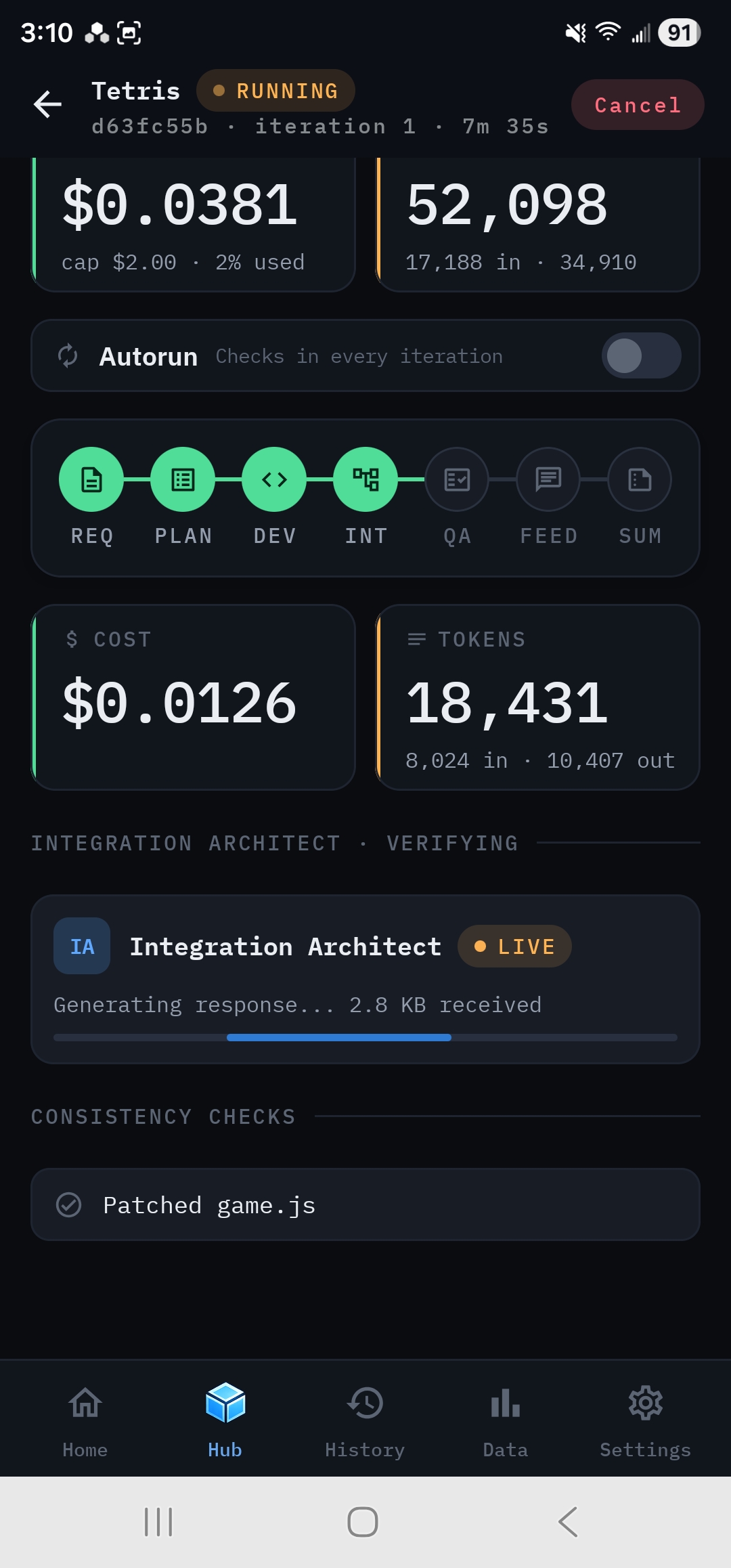
- Cost so far and Tokens I/O: live totals. If you set Max cost, Cost so far shows the cap and how much of it is used.
- Iteration N: what the current iteration has cost on its own.
- Autorun: the switch, live. Flip it to change whether the next iteration boundary checks in with you.
- The phase track: seven nodes, REQ PLAN DEV INT QA FEED SUM. Finished phases are green, the active one is highlighted, and later ones are grey.
- Add a note: a message for the swarm, picked up at the next iteration.
- The live region: changes with each phase. It shows what the active agents are doing right now.
- Run Total · With Cost: further down, each provider the run used, with its logo, calls, tokens in and out and cost, then the run's totals. Token counts over a million show in millions, such as 2.80M.
What each phase shows#
- The Analyst decomposing your brief.
- The Project Manager assigning work, then the file assignments per developer, with no overlapping ownership.
- A row per developer with its current task and progress, and a Files done count.
- The Integration Architect and its consistency checks, such as Patched game.js.
- A row per QA reviewer, Visual QA and the acceptance tests, then each one's critical, major and minor counts. A provisional scorecard follows.
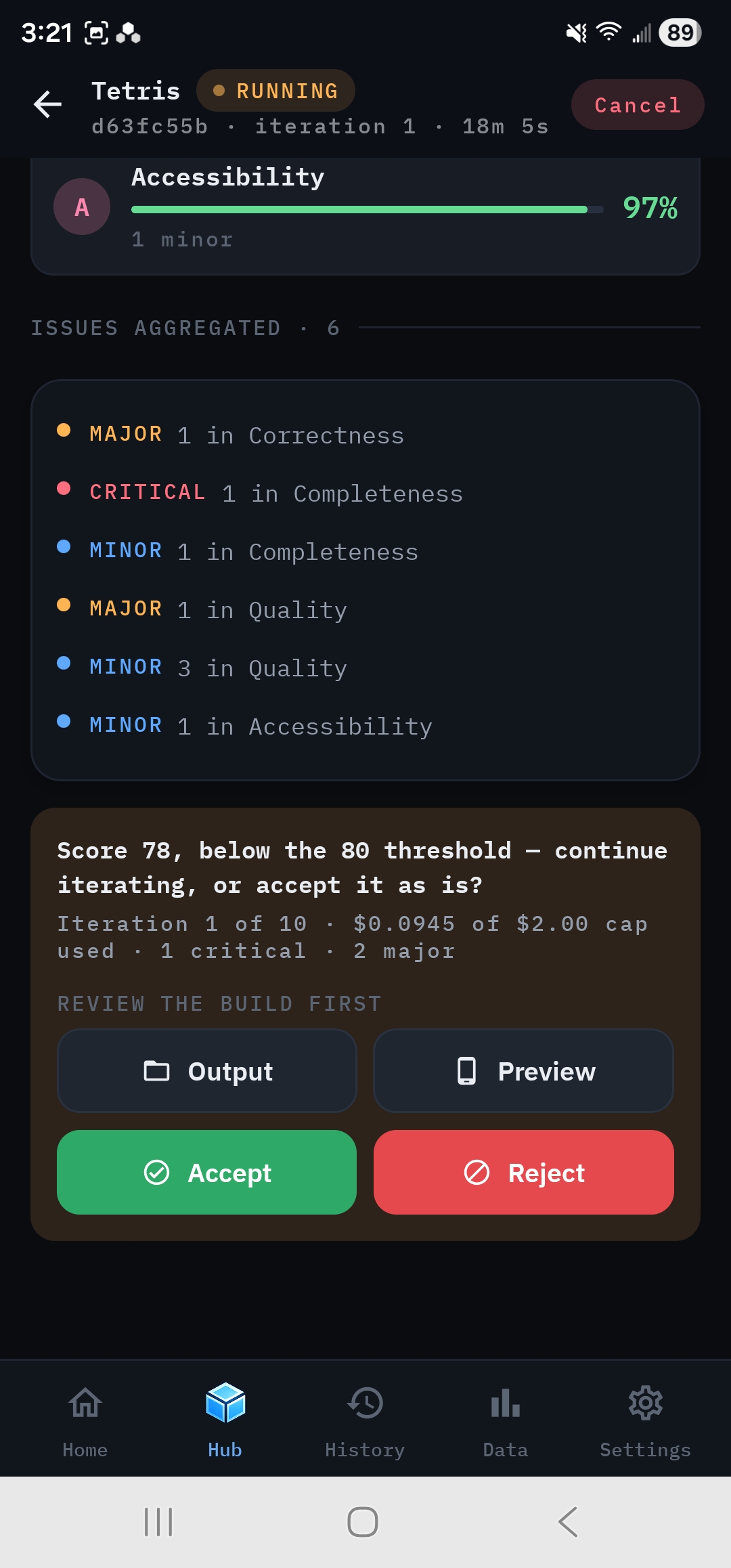
- The Feedback Coordinator consolidating issues, then the iteration's Quality Scorecard and Issues Aggregated list.
- The Summary Generator writing the README.
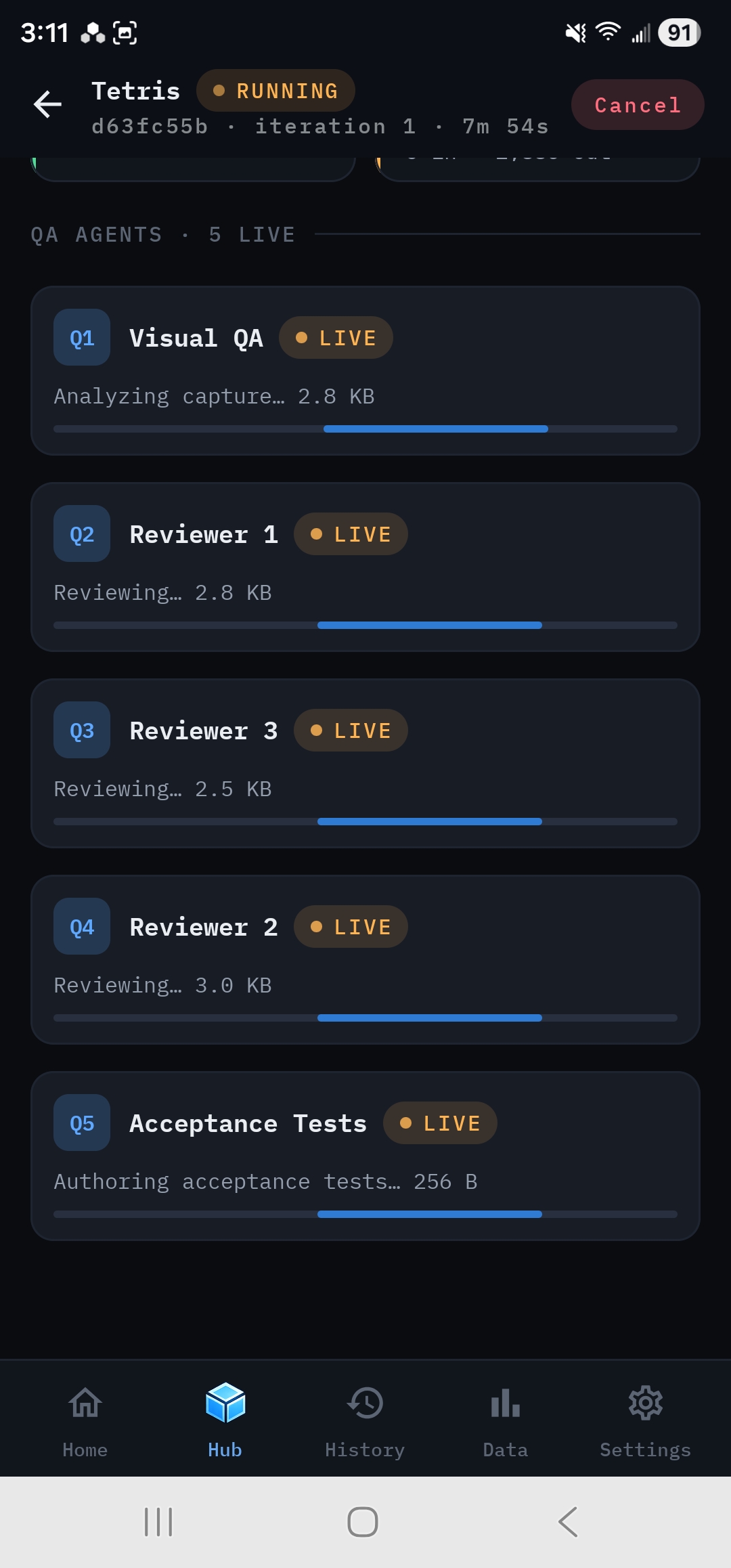
Rows marked live stream progress as the model writes, for example Generating response… 2.4 KB received.
Drill into a phase#
Tap any phase node that has started to open Phase detail for the current iteration. It shows:
- Elapsed, Cost, Tokens in and Tokens out, all updating live;
- the provider and model, API calls, tool calls, cache reads and worker count;
- after the phase completes: every individual call, the phase summary, acceptance-test results (for QA), the files touched, and any error.
Phases that haven't started can't be tapped.
Add a note#
Tap Add a note, type what the swarm should know, and tap Send. You'll see Picked up at the next iteration.
- The note never interrupts the phase in progress. It's read when the next iteration begins.
- Add a note also appears in App Preview while the run is live. That's the ideal moment, just as you spot a bug.
- At a check-in, Continue with a note files the note and starts the next iteration in one step.
Answer check-ins#
When an iteration is scored, a check-in card appears unless Autorun is on and the Score is still below your threshold. Use Output or Preview to look at the build, then Accept, Reject or Continue with a note. See Iterations and check-ins.
Leave and come back#
- Android: rdn-swarm keeps the run alive in the background with an ongoing notification. You can switch apps or lock the phone.
- iPhone: keep rdn-swarm in the foreground for long runs. iOS suspends background apps after a short grace period, and the app notifies you when a run completes.
- If the app is closed or killed mid-run, the run can't continue on its own. The next time you open the app, it's marked Cancelled with Interrupted — the app closed while the run was active. You can pick it up again with Run next iteration.
Cancel a run#
Tap Cancel in the header, then Cancel run to confirm, or Keep running to back out. Work from the current iteration that hasn't been saved yet is lost. Files created by earlier phases stay in the run's Output.
If a run fails#
A provider error the swarm can't retry, such as a rejected key or a model your plan doesn't allow, stops the run. The failed phase is marked on the track, and a Run error banner shows the provider's message with a link to the Run Log. See During and after a run.