Control what a run costs
Choose cheaper models, cap iterations and spend, and read the live cost meter.
You pay your AI providers directly for every token a run uses. This guide covers what drives the cost of a run and the controls you have over it.
What a run costs depends on#
- The models. This matters most. Prices between the cheapest and the most expensive models differ by 100 times or more. Output tokens usually cost several times more than input tokens.
- The number of iterations. Each iteration runs planning, development, integration, QA and feedback again.
- Team size. Every developer and every QA reviewer is a separate agent making its own calls.
- QA mode. Visual and Interactive send screenshots to the Visual QA model on every iteration.
- The size of the project. Bigger briefs mean more files, longer prompts and more output.
Before the run#
- Pick models by cost tier. Every model in the role pickers shows
$to$$$$. Put budget models ($) on the roles that run most: Developers and QA. See Agent roles for which roles benefit from a stronger model. - Set Max cost. Under Configuration → Orchestration, step Max cost up in $0.25 increments. The swarm then checks in before any iteration that could go over it.
- Keep Max iterations modest. The default of 10 is generous for a small app. A tight brief often reaches the threshold in 2 or 3 iterations.
- Right-size the team. For a three-file app, 2 or 3 developers and 2 QA agents are plenty.
- Use Code QA mode unless you need the swarm to see the app.
- Write a tight brief. Clear acceptance criteria reach the threshold in fewer iterations.
During the run#
The top of the live dashboard shows spend as it happens:
- Cost so far, with your cap and the percentage used, for example cap $2.00 · 25% used;
- Tokens I/O, split into input and output, plus the share served from the provider's cache;
- the current Iteration bar, showing this iteration's cost on its own.
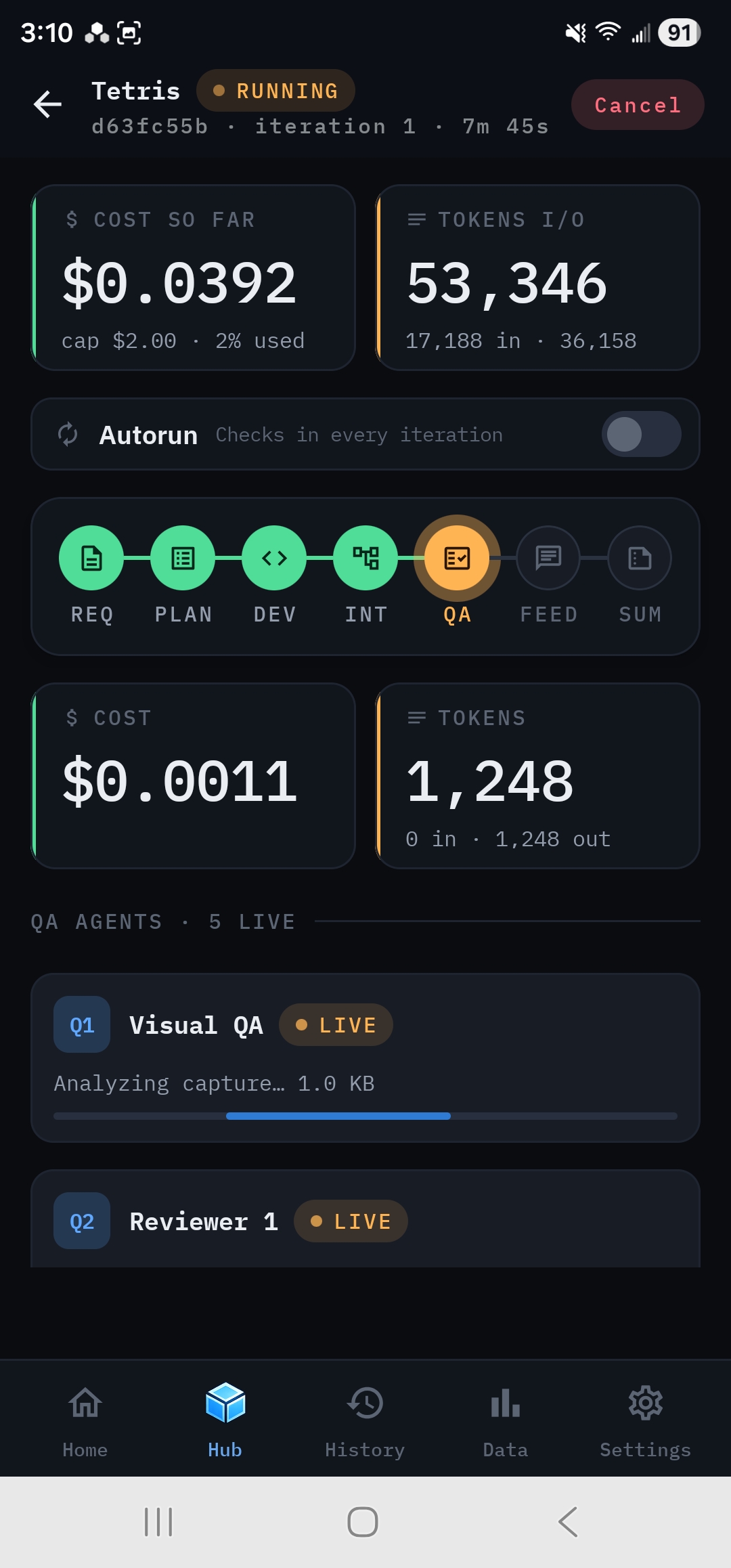
Tap any phase node to see that phase's cost, tokens and each individual call.
The check-in card shows total spend against your cap before you decide whether to go round again. It's a good moment to Accept a build that's good enough.
How Max cost works#
Max cost is predictive. Before each iteration after the first, the swarm adds its most expensive iteration so far to what's already been spent. If that total could pass the cap, it checks in first, and you choose to stop or continue. It never stops agents partway through an iteration, and there's no estimate before the first iteration. A single iteration can still cost more than any before it, so treat Max cost as a guard rail, not a guarantee.
After the run#
- The finished dashboard shows Total cost, tokens, cache use and savings, charts of cost and tokens per call, and (for runs with more than one iteration) tokens per iteration.
- Data → Token Usage totals spend across all runs by provider, model or role, and exports it as CSV.
- Data → Leaderboard ranks models and providers by average cost as well as score, so you can find the cheapest setup that still reaches your bar.